
This is the print version of this page. All content is copyright Indezine.com 2000-2026.
Thoughts and impressions of happenings in the world of PowerPoint and presentations, continuously updated since 2003.
See Also:
PowerPoint and Presenting Notes
PowerPoint and Presenting Glossary
Explore picture clichés again — this time we look at alternatives to Teamwork pictures. We then interview Andrew Abela and Paul J. Radich, the two authors of the new book, The Encyclopedia of Slide Layouts.
PowerPoint 2013 users can learn about Slide Layouts and inserting Flash movies through the Developer tab of the Ribbon. We also provide a walk-through of installing the new Office 2016 for Mac Preview. Finally, don’t miss the new discussions and templates of this week!

Read Indezine’s PowerPoint and Presenting News.
Filed Under:
Ezine
Tagged as: Ezine, Indezine, News, PowerPoint
Comments Off on PowerPoint and Presenting News: June 9, 2015
Do you want your pictures to be contained within shapes that look like frames? Or maybe you want to use silhouette-style placeholders for your pictures? Yes, this is possible! Yes, this process is a little involved — but we’ll hold your hand if you promise to follow all our steps in sequence!

Learn how to create custom shaped Picture placeholders in PowerPoint 2013 for Windows.
Filed Under:
PowerPoint 2013
Tagged as: Masters, Office 2013, Pictures, PowerPoint 2013, Templates, Tutorials
Comments Off on Learn PowerPoint 2013 for Windows: Create Custom Shaped Picture Placeholders
When you are working with multiple pictures on a slide, their position, formatting, and size may be required to be the same across successive slides. This can be achieved manually using resizing and aligning options — although you will use an inordinate amount of time making sure that the pictures look consistent slide after slide. Even then, there are chances you may not be too happy with the results or the time it takes to make these changes. You can get over this problem by using a new slide layout with a picture placeholder. As we learned in previous tutorials, a placeholder is a boilerplate container that you can use to fill in with all sorts of content types such as text, pictures, charts, SmartArt graphics, etc.
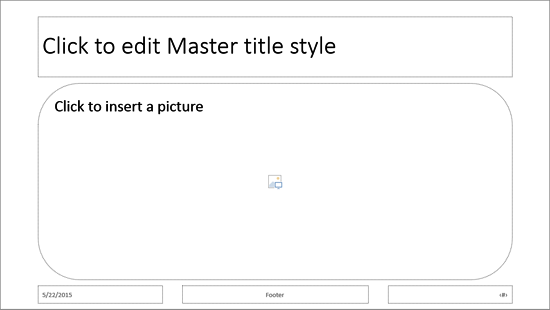
Learn how to format Picture placeholders in PowerPoint 2013 for Windows.
Filed Under:
PowerPoint 2013
Tagged as: Masters, Pictures, PowerPoint 2013, Templates, Tutorials
Comments Off on Learn PowerPoint 2013 for Windows: Formatting Picture Placeholders
Microsoft has made available the Office 2016 for Mac Preview, which includes newest versions of Word, Excel, PowerPoint, and other programs – anyone can install this free Preview version, which will continue to work until the official release of the product, which is estimated to be available in the second half of 2015. To learn more, follow these steps — or even read these steps as a walk-through.

Learn how to install the Office 2016 for Mac Preview.
Filed Under:
Microsoft Office
Tagged as: Office for Mac, Tutorials
Comments Off on Installing Office 2016 for Mac Preview
Slide Layouts are a very useful feature because they let you use a boilerplate arrangement of placeholders repeatedly, resulting in slides that are laid out consistently. And yes, you can also create your own custom Slide Layouts. While very few users create their own custom Slide Layouts, even fewer will create a custom Slide Layout with pictures! That’s regrettable since Picture Slide Layouts can make your slides look so unique. In this tutorial, we will show you how easy it is to create your own Picture Slide Layout in PowerPoint 2013.

Learn how to work with picture slide layouts in PowerPoint 2013 for Windows.
Filed Under:
PowerPoint 2013
Tagged as: Masters, Pictures, PowerPoint 2013, Templates, Tutorials
Comments Off on Learn PowerPoint 2013 for Windows: Working With Picture Slide Layouts
Microsoft and the Office logo are trademarks or registered trademarks of Microsoft Corporation in the United States and/or other countries.