PowerPoint 2010 Articles - Page 10 of 21


Learn PowerPoint 2010: Exit Animations
March 29th, 2012


Learn PowerPoint 2010: Emphasis Animations
March 27th, 2012


Learn PowerPoint 2010: Entrance Animations
March 23rd, 2012


Learn PowerPoint 2010: Types of Animation
March 21st, 2012


Learn PowerPoint 2010: Adding an Animation
March 16th, 2012


Learn PowerPoint 2010: Remove Digital Signatures
March 14th, 2012


Learn PowerPoint 2010: Removing Certificates in Internet Explorer
March 12th, 2012


Learn PowerPoint 2010: Enable Trusted Certificates
March 8th, 2012


Learn PowerPoint 2010: Creating Digital Certificates Outside PowerPoint
March 6th, 2012


Learn PowerPoint 2010: Acquire or Create a Digital Signature
March 2nd, 2012


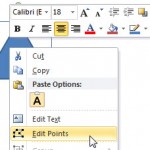
Creating Anchor Points for Connectors in PowerPoint 2010 for Windows Creating Anchor Points for Connectors in PowerPoint 2010 for Windows
February 29th, 2012


Learn PowerPoint 2010: Get Started with a Digital Signature
February 27th, 2012


Learn PowerPoint 2010: Opening WRM Protected Files
February 23rd, 2012


Learn PowerPoint 2010: Advanced WRM Permissions
February 21st, 2012


Learn PowerPoint 2010: Using Windows Rights Management
February 17th, 2012


Learn PowerPoint 2010: Sign Up for Windows Rights Management
February 15th, 2012


Learn PowerPoint 2010: Backstage View – Info
February 13th, 2012


Learn PowerPoint 2010: Guidelines on Changing Proofing Language for an Entire Presentation
February 9th, 2012


Learn PowerPoint 2010: Setting Proofing Language for Text
February 7th, 2012


Learn PowerPoint 2010: Language Options on the Status Bar
February 3rd, 2012


Learn PowerPoint 2010: Add and Remove Proofing Dictionaries for Foreign Languages
February 1st, 2012


Learn PowerPoint 2010: Dynamic Content Transitions
January 30th, 2012


Learn PowerPoint 2010: Slide Transition Effect Options
January 26th, 2012


Learn PowerPoint 2010: Slide Transition Sounds
January 24th, 2012


Learn PowerPoint 2010: Slide Transition Timings
January 20th, 2012


Page 1 Page 8 Page 9 Page 10 Page 11 Page 12 Page 21


Microsoft and the Office logo are trademarks or registered trademarks of Microsoft Corporation in the United States and/or other countries.
Plagiarism will be detected by Copyscape

© 2000-2026, Geetesh Bajaj - All rights reserved.

since November 02, 2000