

Ebba Åsly Fåhraeus is VP of Sales Marketing Forms at Anoto, a leader of digital pen & paper technology. Anoto was founded in 1999 and is the pioneering leader of digital pen & paper technology, based in Lund, Sweden. Anoto technology optimizes paper-based processes by rapidly and reliably converting handwritten information from business forms into digital documents.
In this discussion, Ebba discusses the use of Anoto technology for PowerPoint usage.
Geetesh: Tell us about the Anoto product line-up, and which of the Anoto products work best with PowerPoint.
Ebba: Anoto is the pioneering leader of digital pen & paper technology. Anoto technology optimizes paper-based processes by rapidly and reliably converting handwritten information from business forms into digital documents.
By far the most exciting product offered by Anoto is a PowerPoint add-in called Anoto penPresenter. It utilizes the Anoto digital pen and Bluetooth technology, enabling real-time collaboration during presentations. Users can make notes or sketch on their printed PowerPoint slides using an Anoto Digital Pen and instantly see them appear on their computer, projector, monitor, or flat-screen LCD screen. The slide can then be saved, printed, or e-mailed.
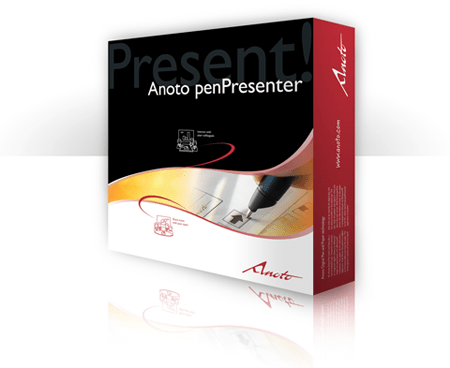
Geetesh: Can you share some scenarios in which PowerPoint users can benefit from the Anoto penPresenter?
Ebba: Anoto penPresenter allows users to have a more engaged audience in a meeting room environment and puts focus on the meeting itself.
Scenarios in which users can benefit include having to use an electronic whiteboard and not being able to easily transport it from room to room or floor to floor. They aren’t as portable as penPresenter.
Have you ever needed to transcribe notes for data entry after a meeting? Or have you ever brainstormed an idea on a whiteboard only to have it erased before anyone “took notes”?
Anoto penPresenter allows you to make notes and sketches on your PowerPoint slides with the Anoto Digital Pen and see the results instantly on the meeting room screen. Later on, they can easily be saved, printed, and emailed to the meeting room participants.
Most importantly, have you ever tried to do something to make your PowerPoint® slides more engaging? Anoto penPresenter enhances your slides in creative ways and you certainly won’t put people to sleep with them!
The views and opinions expressed in this blog post or content are those of the authors or the interviewees and do not necessarily reflect the official policy or position of any other agency, organization, employer, or company.
Related Posts
 Emmanuel Gueritte is Marketing Director of DialogLoop, a Canadian Company. He spent 20 years creating product mark...
 Robert Kawalsky is the CEO and co-founder of Zeetings, a software company changing the way people present their ideas to the w...
 Phillip Gibbs has been involved in the audio-visual production business for 25 years and co-founded IMS Communications, an events producti...
 With too many years in the AV industry behind them, Duncan Peberdy and his business partner Jane Hammersley set up their own consultancy company in 20...