
Applying a Theme to an existing presentation is easy — and you’ll find that plenty of themes are already contained inside Office 2010. In PowerPoint 2010, these Themes can be found in Design tab of Ribbon. Applying Themes in Word 2010 and Excel 2010 is a little different — you access the Themes gallery from the Page Layout tab of the Ribbon.
Learn how you can apply Themes in Office 2010 applications.
Related Posts
 Similar to PowerPoint 2007 (also Word and Excel), PowerPoint 2010 uses a variety of built-in Themes that are installed by default. In PowerPoint, you ...
-
Applying a Theme in PowerPoint applies Theme Colors, Theme Fonts, Theme Effects, Theme Backdrops, and much more. However there are scenarios in which ...
 Sometimes, you want to know whether you are running a 32 or 64-bit version of PowerPoint or Office. Yes, if you are running a 32-bit version of Window...
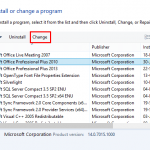 At times, you may want to change your default version of PowerPoint. This decision can be important for you if you have multiple versions of PowerPoin...