
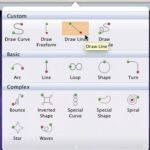
Motion Path animations are movements that happen along a path. You can choose from several preset Motion Paths for simple animations — these include lines, curves, stars, and several other paths. These paths may indicate an animation, but for all other practical reasons, they are essentially just ordinary lines (shapes) that have curves, points, etc. You can edit these Motion Paths in the same way as you can edit any other lines in PowerPoint. If you are familiar with the drawing tools in PowerPoint, or if you use a graphic illustration program like Adobe Illustrator or CorelDRAW, you know that paths can be either open or closed. A circle is a good example of a closed path, whereas a curve is an open path.

Learn about the open and closed Motion paths in PowerPoint 2011 for Mac.
Related Posts
 The Star Wars-credits style is a kind of Crawl animation. In this style, the text crawls from the bottom to the top, as it also does with Crawl. Addit...
 The main purpose of adding animation to any slide object is to draw the attention of the audience to some concept. After adding animation, you can set...
 In PowerPoint, you can effectively illustrate a concept, a process, or anything else using animation. But the fact that you should be aware of is, eve...
 Once you add animation to a slide object, you can make the animation happen slower or faster using its speed properties. You can also cause the animat...