PowerPoint 2011 Articles


Adding and Deleting Chart Series and Categories in PowerPoint 2011 for Mac Adding and Deleting Chart Series and Categories in PowerPoint 2011 for Mac
September 17th, 2013


Advanced Background Removal Options for Pictures in PowerPoint 2011 for Mac
September 10th, 2015


Applying Theme Colors and Theme Fonts in PowerPoint 2011 for Mac Applying Theme Colors and Theme Fonts in PowerPoint 2011 for Mac
January 5th, 2011


Basic Flowcharts in Microsoft Office for Mac
August 26th, 2013


Change Order of Chart Data Series in PowerPoint 2011 for Mac Change Order of Chart Data Series in PowerPoint 2011 for Mac
September 23rd, 2013


Changing Proofing Language for an Entire Presentation in PowerPoint 2011 for Mac Changing Proofing Language for an Entire Presentation in PowerPoint 2011 for Mac
September 11th, 2013


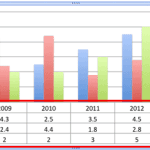
Chart Data Table in PowerPoint 2011 for Mac Chart Data Table in PowerPoint 2011 for Mac
October 1st, 2013


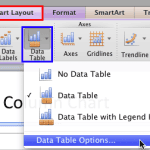
Chart Data Table Options in PowerPoint 2011 for Mac Chart Data Table Options in PowerPoint 2011 for Mac
October 3rd, 2013


Exporting PNGs and other Graphic File Formats (JPG, GIF, TIFF, BMP) in PowerPoint 2011 for Mac Exporting PNGs and other Graphic File Formats (JPG, GIF, TIFF, BMP) in PowerPoint 2011 for Mac
April 19th, 2016


Formatting Connectors within Flowcharts in Office 2011 for Mac
August 30th, 2013


Gradient Outline for Text in PowerPoint 2011 for Mac Gradient Outline for Text in PowerPoint 2011 for Mac
April 2nd, 2013


James Gordon Insert Pictures Quickly in PowerPoint for the Mac
January 12th, 2004


Keyboard Shortcuts: PowerPoint Keyboard Shortcuts: PowerPoint 2011 for Mac
August 27th, 2012


Learn PowerPoint 2011 for Mac: 3-D Rotation Options
September 1st, 2011


Learn PowerPoint 2011 for Mac: Action Buttons
January 9th, 2012


Learn PowerPoint 2011 for Mac: Add a New Slide Layout
June 5th, 2013


Learn PowerPoint 2011 for Mac: Add and Remove Menu Commands Learn PowerPoint 2011 for Mac: Add and Remove Menu Commands
July 11th, 2013


Learn PowerPoint 2011 for Mac: Add and Remove Menus Learn PowerPoint 2011 for Mac: Add and Remove Menus
July 9th, 2013


Learn PowerPoint 2011 for Mac: Add and Remove Table Rows/Columns
December 27th, 2013


Learn PowerPoint 2011 for Mac: Add and Rename Slide Masters Learn PowerPoint 2011 for Mac: Add and Rename Slide Masters
June 19th, 2013


Learn PowerPoint 2011 for Mac: Add and/or Remove Toolbar Commands
July 5th, 2013


Learn PowerPoint 2011 for Mac: Add and/or Remove Toolbars
July 3rd, 2013


Learn PowerPoint 2011 for Mac: Add Gradient Fills to Shapes
July 26th, 2011


Learn PowerPoint 2011 for Mac: Add Headers and Footers in Notes and Handout Pages
May 16th, 2013


Learn PowerPoint 2011 for Mac: Add Headers and Footers in Slides
May 14th, 2013


Page 1 Page 2 Page 3 Page 18


Microsoft and the Office logo are trademarks or registered trademarks of Microsoft Corporation in the United States and/or other countries.
Plagiarism will be detected by Copyscape

© 2000-2025, Geetesh Bajaj - All rights reserved.

since November 02, 2000