
Office 2013 programs such as PowerPoint 2013 work with their own Accounts system. Additionally, they also integrate with the Account you use to sign in within your Windows-based operating system. Many options within PowerPoint show up or change depending on which Account you are signed into, and these include your Recent Files list, your connected services, and even the interface color for your program. While these customizations show up irrespective of whether you are running PowerPoint 2013 on Windows 7 or a newer version such as Windows 10 or 8, the process in which you sign in and switch Accounts differs.

Learn how to sign out and switch Microsoft Accounts in PowerPoint 2013 for Windows.
Related Posts
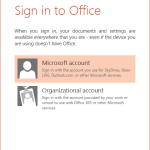 Office 2013 programs such as PowerPoint 2013 work with their own Accounts system. Many options within PowerPoint show up or change depending upon whic...
 Microsoft Office 2013 for Windows was released on October 11, 2012. It is the successor of the previous version, Office 2010, and among the most used ...
 Do you want to add an infinity symbol on your slide? Or do you want to add one of the mathematical symbols? Or even the Yen or Rupee symbols? PowerPoi...
 Text is an important element in your PowerPoint slides, and most of the time, text alignment is taken care by the defaults set in your presentation te...