
Windows 8 introduces a different type of notification compared to what you saw in previous versions of Windows — you see a small rectangle pop up with a message. These messages may be from different applications you have installed, and you can set those permissions individually. However, all notifications use the same appearance style. While these notifications may be helpful in most scenarios, they can be irritating and even embarrassing when showing your PowerPoint slides to an audience. There is no way PowerPoint can automatically disable them while in slide show view. Fortunately, there is a way to disable them temporarily — and you should remember to do so each time you need to show a presentation!
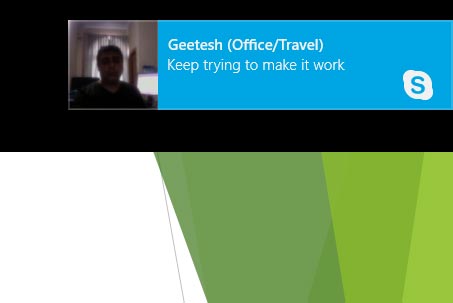
Learn how to turn off the notification in Windows 8.
Related Posts
 Not everyone sees colors the same way! If your slides rely only on color to show meaning, some people might miss the message entirely! On this page, w...
 PowerPoint isn’t just a handy tool—it’s a powerhouse in your workflow! Not only does it come packed with tons of features, but it also plays nice with...
 What if you draw a line in PowerPoint that is slanted or sloped? Now, if you want to know the length of this line, you should know that there's no bui...
 In PowerPoint, you rotate shapes using the white rotation handle that appears when you select a shape. However, have you ever noticed that the open li...