
 (No Ratings Yet)
 Loading...
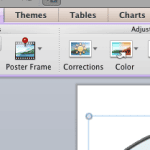
When you insert a video in your presentation, you might see that the placed video clip displays a blank or black rectangle on the slide. If your video clip does not show a black rectangle, then of course there is no issue concerned. However, if it does show this black rectangle, your viewers may not find this appealing at all. With PowerPoint 2011’s Poster Frame feature, you can easily overcome this limitation, and change the black rectangle to an image by selecting a frame from the video itself, or even a picture from a different source.

Learn how to add a Poster Frame for your video clips in PowerPoint 2011 for Mac.
Related Posts
 In PowerPoint, there are plenty of options to enhance your movie clips -- these may make your original movie clip appear entirely different from what ...
 PowerPoint provides you with plenty of options to enhance your movie clip. These options include Correction Adjustments, Recoloring, Movie Styles, Mov...
 You can crop a movie clip on your PowerPoint slide in almost the same way you crop a picture. Before you crop though, ascertain whether PowerPoint's C...
 In PowerPoint, your inserted movie clip is always placed as in a traditional rectangular shape, which is exactly what most users expect since it does ...