
We already showed how you can turn off notifications in Windows 8 for a while — maybe you want these notifications off while you are presenting your PowerPoint slides. Although these notifications can be useful, some of them can be very irritating and even embarrassing when you show slides to an audience. Some people hate them so much that they want them barred even when they are not presenting — if your thought processes work the same way, you can turn these notifications off permanently.

Learn how to permanently turn off notifications in Windows 8.
Related Posts
 Some applications do identify font types by placing icons next to a particular font in a listing. Such behavior is an exception rather than a norm, an...
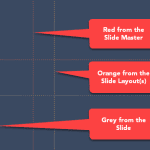 Marcus thought he'd cracked the code. First, he learned to enable guides. Then, he discovered the right-click menu, and now is adding, coloring, and d...
 Guides help you line up objects on your slides. Most of us use them in a basic way and never look further. This page covers Guide Options in PowerPoin...
 Have you watched an expert tailor at work? They start by marking the pattern on the fabric. They don't just slap down one chalk mark on the fabric and...