
Since many people use PowerPoint for training programs, you will find some slides populated with screenshots of various computer program interfaces. Typically, these screenshots are captured in another program and then inserted into PowerPoint slide like any other regular picture. This task is now made even easier with the introduction of the Screenshot option in PowerPoint 2010 that allows you to quickly and easily add a screenshot on your slide, being within PowerPoint.

Explore the Screenshot option within PowerPoint 2010 for Windows.
Related Posts
 Among PowerPoint 2010's newest and most magical abilities is the Remove Background option that lets you remove the background from an inserted picture...
 Among PowerPoint 2010's newest and most magical abilities is the Remove Background option that lets you remove the background from an inserted picture...
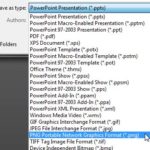 PowerPoint allows you to save your slides to many graphic file formats, which can later be used in other applications as required. One of the most pop...
 In PowerPoint Slide Layouts are a very useful feature because they let you use a boilerplate arrangement of placeholders repeatedly, resulting in slid...