
 (No Ratings Yet)
 Loading...
Once you add Bookmark(s) to an audio clip, you may want to edit or remove the Bookmark altogether. In PowerPoint you can’t edit a Bookmark — for example, you cannot change the time position of your Bookmark from 30 seconds to 28 seconds. To achieve this change, you have to delete the earlier Bookmark, and then add a new Bookmark on the time position that you want.
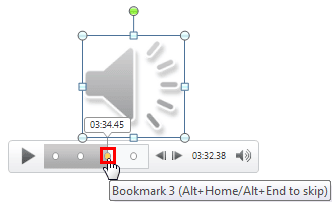
Learn to remove bookmarks from audio clips in PowerPoint 2013 for Windows.
Related Posts
 When you select an audio clip in PowerPoint 2013, you will see two extra contextual tabs on the Ribbon. One of these tabs is the Audio Tool Playback t...
 You have a 5 minute video or audio clip playing on your slide. And exactly after the clip has played for 30 seconds, you want some text to appear supe...
 When you insert an audio clip on your slide, you can see a sound icon that represents the audio clip. Of course, it rarely matters what the icon looks...
 When you insert an audio clip into a PowerPoint slide, you can control its volume, set it to play looped, or even hide the audio icon. These are some ...