
One of the most important parts of the interface within PowerPoint for iPad is the Ribbon – a typically orange area that sports Tabs with options and commands. Now this Ribbon works almost the same in PowerPoint for iPad as it does in PowerPoint instances anywhere. The main difference here is that you will have to tap to make something happen rather than click! Of course, since the options available on the iPad are fewer, you end up with a thinner, more compact Ribbon as well.

Explore the Ribbon in PowerPoint for iPad.
Related Posts
 Desktop versions of PowerPoint let you choose where you want to save your files. They also prompt you to save your files if you close PowerPoint witho...
 Once you add a Place in PowerPoint for iPad, you may want to remove it. This is especially true if a friend or colleague temporarily added their OneDr...
 While you can access your PowerPoint files saved on a cloud location such as iCloud Drive – or even from a saved Place such as OneDrive or Dropbox, th...
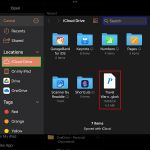 For OneDrive and Dropbox, you can add them as a Place within PowerPoint for iPad to access and save files. Apple’s iCloud doesn’t work the same way. Y...