
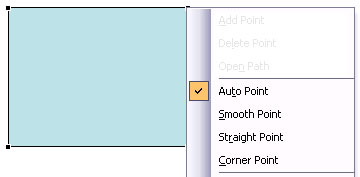
When you use any of the shapes available in PowerPoint, you are not limited to what their default appearance looks like. You may want to change a rectangle to a rhombus, or even edit a curved or freeform line differently. The good news is that you can do this by using the Edit Points option — this almost makes PowerPoint a drawing program that provides you the option to play with vertexes (points), handles, etc. — very similar to what you would do in Adobe Illustrator or CorelDRAW.

Learn how to change the appearance of a shape in PowerPoint 2003 using the Edit Points option.
Related Posts
 Every shape in PowerPoint is a combination of segments (lines) and points (vertexes) -- and these segments and vertexes are only visible within Edit P...
 You have learned what the Edit Points option in PowerPoint is, and how it works. The Points you see and edit give you control over how you want a shap...
 Once you place an AutoShape on a PowerPoint slide, you may format it by changing its fill or outline -- or you may add animation to it. Later if you r...
-
Several slide objects such as pictures, clip art, multimedia, and AutoShapes can be inserted into PowerPoint slides so as to help convey your message ...