
Type or paste a web URL in your PowerPoint slide, and then press either the Enter or the Spacebar key. Presto, your web URL is now a live hyperlink. Now this automatic conversion to hyperlinks can be a mixed blessing. In some ways, it can be beneficial because most of the time, this automatic conversion may just be what you need! In other scenarios, you may get offended by PowerPoint’s hand-holding. Luckily, there are ways in which you can control this automatic conversion. You can turn off this automatic hyperlinking for a single link, and you can also toggle on and off this conversion altogether!

Learn how you can control automatic text hyperlinking in PowerPoint 2013 for Windows.
Related Posts
 Do you want to link to an Excel file from within PowerPoint? You can then use the technique explained within our Linking to Any File in PowerPoint 201...
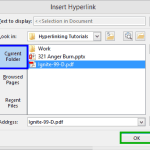 Although you can link from one presentation to another in PowerPoint, you can essentially use the same concept to link to any other file! You can link...
 We’ve learnt about how hyperlinks let you do excellent stuff such as linking between slides or even linking to files outside PowerPoint. However, did ...
 Once you add a hyperlink to a slide object, you will want to edit the link, or remove it altogether. Both these tasks are easy to accomplish—and as us...