
 (1 votes, average: 5.00 out of 5)
 Loading...
PowerPoint 2016 for Windows enables you to use its repertoire of Shapes to create some amazing artwork. Its Merge Shape commands allow you to create complex shapes by merging several simple shapes. Additionally, these options also let you convert your text to shapes so that you can see the text even on a computer that does not have a particular font installed. We already showed you how you can convert an entire text box to one shape using the Intersect command. Let’s now discover using the Fragment command instead.

Related Posts
 PowerPoint takes the Merge Shapes command to a whole new level. You can merge shapes with other shapes and text, and you can also merge shapes with pi...
 PowerPoint has several features that may amaze you, but there's nothing quite like what we will explore on this page—an option to convert regular text...
 PowerPoint 2016 for Windows lets you change the appearance of merged shapes. Don't get fooled by how easy-to-use this is because the results you can e...
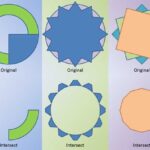 PowerPoint 2016 for Windows lets you take a bunch of selected shapes and then apply one of the five Merge Shapes options to end up with some amazing r...