
Among the options within Backstage View, we have already explored some such as Open, New, Recent, Print, etc. In this tutorial, we will explore the Save & Send option used to save and share the current presentation in so many ways including broadcasting, creating a video, packaging to a CD, creating handouts, saving to a SharePoint site, etc.

Learn about the Save and Send tab within Backstage view in PowerPoint 2010 for Windows.
Related Posts
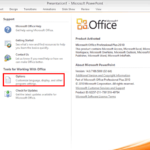 Many long-time users do not know that so many options within PowerPoint can change how you can work. Most of these preferences are found within the Po...
 We have already explored options within Backstage View such as New, Recent, Print, etc. In this tutorial, we will explore the Help option that provide...
 Among the options within Backstage view, we have already explored some options such as Open, New, Recent etc. In this tutorial we will explore the Pri...
 When you launch PowerPoint 2010, it always opens a new blank presentation for you. Further, if you are already working on an open presentation, and wa...