
 (No Ratings Yet)
 Loading...
It is true that both pictures and words are important, and they both play complementary roles. If you had to choose just one of them, then you could use pictures because the presenter can always use words to explain what the picture represents. Presentations, by their very nature, are meant to be visual in nature. Text and speaking are important too, but you can be more effectively heard and remembered if your content includes pictures.

Learn how to insert pictures in PowerPoint 2013 for Windows.
Related Posts
 It's always been possible to add pictures from an online source within PowerPoint. For more than a decade, this online source has been the pictures av...
 Do you want to add an infinity symbol on your slide? Or do you want to add one of the mathematical symbols? Or even the Yen or Rupee symbols? PowerPoi...
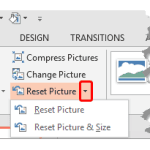 Once a picture is inserted within PowerPoint, any manipulations you make to that picture are strictly only on the surface. The appearance of the pictu...
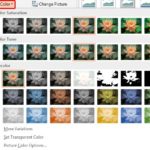 Working with pictures in PowerPoint 2013 can be so much fun and fulfilling at the same time. One of the coolest options is to recolor the hue of your ...