
 (No Ratings Yet)
 Loading...
Have you ended up with a presentation that has linked files, embedded media clips, and so much more? And now you have been asked to copy the entire presentation and all linked files to a CD? A CD in these days? How ancient is that? OK, never mind. Let’s rephrase that question: have you been asked to copy all the content to a folder, a network location, or a USB drive? Fortunately, PowerPoint provides the Package Presentation for CD option that can do this task for you, with just a click or two. In this tutorial, we will learn more about this amazing feature.

Learn to package a presentation to a CD or a folder in PowerPoint 2010 for Windows.
Related Posts
 Among the options within Backstage view, we have already explored some options such as Open, New, Recent etc. In this tutorial we will explore the Pri...
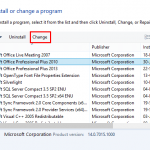 At times, you may want to change your default version of PowerPoint. This decision can be important for you if you have multiple versions of PowerPoin...
 We already looked at the Trust Center in a previous tutorial. But who knew that there so many settings available within the Trust Center? In this tuto...
 PowerPoint lets you keep your computer secure by using Trust Center options. In the Trust Center, you can change settings that influence how macros ru...