
Yes, you can manually compare side by side, as explained in our Compare Presentations in PowerPoint 2016 tutorial. This option works great if there are very few changes. For anything more involved, you will want to use the Compare feature that combines two presentations provided by you, and then shows you the differences between them.

Learn how to compare and merge presentations in PowerPoint 2016 for Windows.
Related Posts
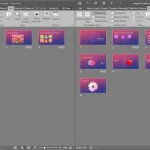 While PowerPoint does have an option to automatically compare presentations, sometimes doing this comparison manually can be actually more effective, ...
 You must pay attention to the position and alignment of slide objects on your PowerPoint slide, be it shapes or even the many inserted pictures. In th...
 Microsoft Office 2016 for Windows was released on September 22, 2015. It is the successor of the previous version, Office 2013, and among the most use...
 Text is an important element in your PowerPoint slides, and most of the time, text alignment is taken care by the defaults set in your presentation te...