
Similar to Shape Styles for the shapes on your slide, PowerPoint also provides Picture Styles for your inserted pictures. With a single click, Picture Styles can transform a simple looking picture to something that’s more distinct. Note that unlike Shape Styles, Picture Styles are not Theme specific. They just transform your picture to make it look stylish by applying a border, or 3-D effect, or by changing the frame shape, etc.

Learn how to apply preset Picture Styles in PowerPoint 2016 for Windows.
Related Posts
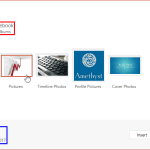 PowerPoint enables you to insert online pictures in more than one way, and explored these various options in our Insert Online Pictures in PowerPoint ...
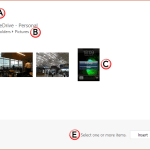 Our next option within the Insert Online Pictures in PowerPoint 2016 series of tutorials is exploring how you can insert pictures from your OneDrive a...
 There are many, many options as far as inserting pictures from online sources within PowerPoint are concerned. Other than using the Bing Image Search ...
 Although you can search for pictures on Google Images or Bing, these pictures show in web browsers, and even then you cannot use most pictures in your...