
Once you add Bookmarks to an audio clip, you may want to edit or remove one or more Bookmarks altogether. In PowerPoint, you can’t edit a Bookmark. For example, you cannot change the time position of your Bookmark from 30 seconds to 28 seconds. To achieve this change, you have to delete the earlier Bookmark, and then add a new Bookmark on the time position that you want.

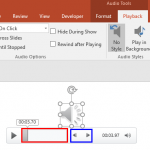
Learn to remove Bookmarks from audio clips in PowerPoint 2016 for Windows.
Related Posts
 PowerPoint 2016 lets you play your audio files from a certain point within the clip using the Bookmark sound in PowerPoint option. Bookmarks in PowerP...
 When you select an inserted audio clip in PowerPoint 2016, you see two contextual Audio Tools tabs: Format and Playback. Once you explore the options ...
 Once you insert an audio clip into your presentation, you may find that it is too long, or there may be parts in the clip that you don't want the audi...
 Insert an audio file within your PowerPoint slide, and choose to play it either with a click or set it to play automatically. Whichever option you cho...