
 (No Ratings Yet)
 Loading...
When you click the File menu and access Backstage view in PowerPoint 2016, you see several options. In this tutorial, we explore two of these options: Save and Save As.

Explore saving options in Backstage view of PowerPoint 2016 for Windows.
Related Posts
 In PowerPoint, and in other Office 2016 programs you typically need to sign in to a Microsoft Account so that you can access saved settings, customiza...
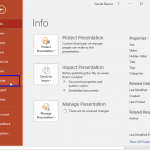 Among the tabs within Backstage view, we have already explored the Open, New, and Save, tabs. In this tutorial, we will explore the Share tab, that pr...
 When you click the File menu and access Backstage view in PowerPoint 2016, several options appear. On this page, we explore two of those options: Open...
 In PowerPoint 2016, all information that you need about your currently active presentation is available in a single easily accessible location. This l...