
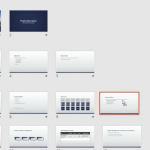
If you have a presentation with a large Section, containing many slides, then you may find that this one Section makes it difficult to see all the other remaining Sections. This is because these many slides cover up so much screen real estate making it difficult for you to see other stuff, such as slides in other Sections. And if you want to drag a slide from one Section to another, you may be at a loss to comprehend what you will end up with.

Explore viewing Sections in PowerPoint 2016 for Windows.
Related Posts
 In PowerPoint, Sections are not just for effective and easy management of your slides, but they can also let you quickly reorder large blocks of adjac...
 To logically group your slides into parts, you should explore the Sections option in PowerPoint. Sections open up many possibilities, and you are not ...
 Sections make your presentation slides easy to manage, and divide into logical parts. Also, adding and renaming Sections enables you to categorize you...
 Dividing a large number of slides into Sections helps you to manage them better. And even for presentations that do not have a large number of slides,...