
 (No Ratings Yet)
 Loading...
Once a picture is inserted within PowerPoint, any manipulations you make to that picture are strictly only on the surface. The appearance of the picture changes on the slide, but the unaltered picture is stored within your PowerPoint presentation. This is an awesome feature because if you make many changes to a picture and then regret experimenting, you can just reset your picture rather than starting all over again! There’s one caveat, though. The option to reset any picture back to its original form works only if you have not run any compression options for pictures within your presentation.

Learn how to reset pictures in PowerPoint for the Web.
Related Posts
 Beyond picture enhancement options such as Picture Styles, there are some very significant yet basic picture editing options that you should consider....
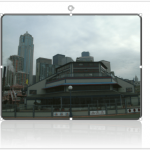 Similar to Shape Styles for shapes on your slide, PowerPoint also provides Picture Styles for your inserted pictures. With a single click, Picture Sty...
 Imagine you inserted a picture in PowerPoint for the Web, and then applied various picture editing options to enhance its appearance. For example, you...
 Are you looking for copyright-free pictures that you can use in presentations you create in PowerPoint for the Web, the browser-based version of Power...