
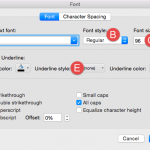
Type text within PowerPoint, and the font type and size are decided for you, based on the Theme applied to your presentation. For example, if you use PowerPoint’s default Office Theme, then all your typed text will sport the Calibri typeface. You can quickly change the Theme Fonts set altogether for your presentation, and all text instances will switch to the default typefaces of the new Theme or Theme Fonts set. However, there may be times when you want to override these defaults and choose a typeface that is different, or even a different font size. Let us now explore how you can choose different font types and change the font size of the selected text on the slide in PowerPoint 2016 for Mac.

Explore how you can change font types and sizes in PowerPoint 2016 for Mac.
Related Posts
 The font typeface, styles, and even the size for text in your presentation are dictated by the active Theme or Theme Fonts set. You can certainly over...
 Fonts are more than just pretty characters, and your choice of fonts can have a profound effect on how readable your text is to the audience. We have ...
 Do you want to insert video clips within your PowerPoint slides? Videos can be useful to express your message, and PowerPoint lets you easily insert v...
 Once you add an audio track such as a music clip to your PowerPoint slides, you can let the inserted audio span across all your slides from the first ...