
We already learned about the file types PowerPoint 2016 for Mac can save. But when you go and look at the file types that PowerPoint 2016 for Mac can open, you’ll find that there’s no drop-down list in the Open dialog box. All files within any navigated folder are shown, and the only way you understand that a particular file type can be opened is because those files are not grayed out.

Learn about various file types that can open and work in PowerPoint 2016 for Mac.
Related Posts
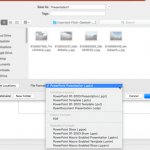 How many file formats (types) can PowerPoint 2016 for Mac save to? If you count every single format from the necessary to the irrelevant (and forget t...
 Do you want to insert video clips within your PowerPoint slides? Videos can be useful to express your message, and PowerPoint lets you easily insert v...
 Once you add an audio track such as a music clip to your PowerPoint slides, you can let the inserted audio span across all your slides from the first ...
 Not only can a looping music audio make the audience inattentive, but the speaker will be at a distinct disadvantage too, trying to compete with the a...