

Mike Parkinson is a geek. He is one of thirty-six Microsoft PowerPoint MVPs in the world, is an internationally recognized communication and presentation expert, best-selling author, and professional trainer. Mike’s keynotes, training, books, and tools such as Build-a-Graphic help companies succeed while saving money and time. He owns Billion Dollar Graphics and is a partner at 24 Hour Company, a premier creative services firm.
In this conversation, Mike talks about his participation at the upcoming Presentation Summit 2024, being held on location in Oxnard, CA this year from October 20 to 23, 2024, and virtually from November 3 to 6, 2024.
Indezine.com is the official media partner for the Presentation Summit.
Geetesh: Mike, you deliver two sessions in this year’s Presentation Summit: Don’t Blow It, which is about avoiding PowerPoint disasters, and Agile Infographics, which looks beyond just pretty pictures. Can you tell us about these sessions and what the audience will learn from them?
Mike: Don’t Blow It shares solutions to the six most common and challenging presentation and design mistakes. Using real-world examples, we demonstrate how to apply these lessons. For instance, we learn three simple methods (Literal, Quantitative, and Substitution) to avoid overcrowding your slides with text. Participants leave with actionable techniques and tools to overcome their biggest hurdles.
Agile Infographics leverages one of the most successful business and development processes to streamline your workflow. Similar to the SCRUM sprint below, Agile methodologies may initially seem daunting, but when broken down, they reveal a wealth of new ideas that reduce friction and simplify our tasks.
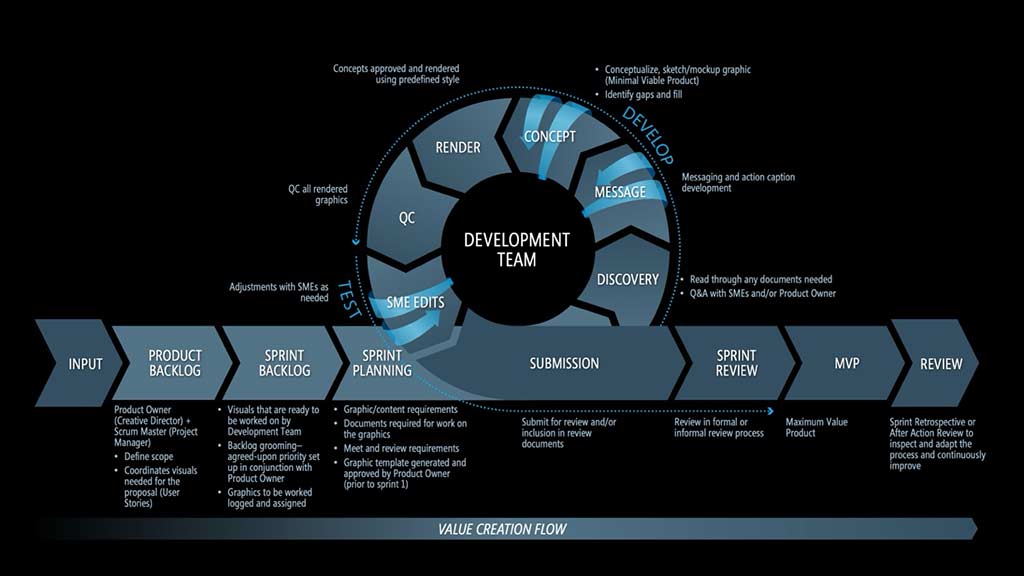
During this session, we are guided, step-by-step, through the process of developing a unique, professional infographic for a proposal response. Everyone will learn how to integrate these best practices into their daily routines, making work easier and faster while delivering superior graphics.
Geetesh: You’ve often attended the Presentation Summit. What do you think about this year’s conference being the last one? Also, what has the Presentation Summit meant to you over the years?
Mike: It is tough knowing this will be our last Presentation Summit “hurrah.” I expect there will be tears. Presentation Summit is a family to me. My wife, Jen, and I have attended since 2010. Our fellow attendees are like brothers and sisters. Knowing that there will be no more annual, in-person family reunions (i.e., conferences) sunsets one of our favorite traditions. While we will undoubtedly continue our amazing relationships with our presentation family, connecting in person will be less frequent.
Simply put, Presentation Summit means talented, good people helping other talented, good people. As a direct result of attending the conference, I have improved my presentation development and design skills, created and evolved a product that was acquired by another company, lowered my work stress levels, increased my compensation, helped others achieve their goals, and, above all, found “my people.” Everyone I’ve met at Presentation Summit has been incredibly generous with their expertise and time. The honest conversations I’ve had year over year have helped me navigate professional and personal challenges.
I offer my heartfelt appreciation to Rick Altman, Sheila McGurin, the Presentation Summit team (those who help make the conference a success every year), and my Presentation Summit family for their unending love and support.
Geetesh: Many of your PowerPoint techniques focus on doing tasks faster. What are your top tips for quickly making professional slides and decks?
Mike: Here are some tips:
Tip 1: Use a Graphic Asset Library
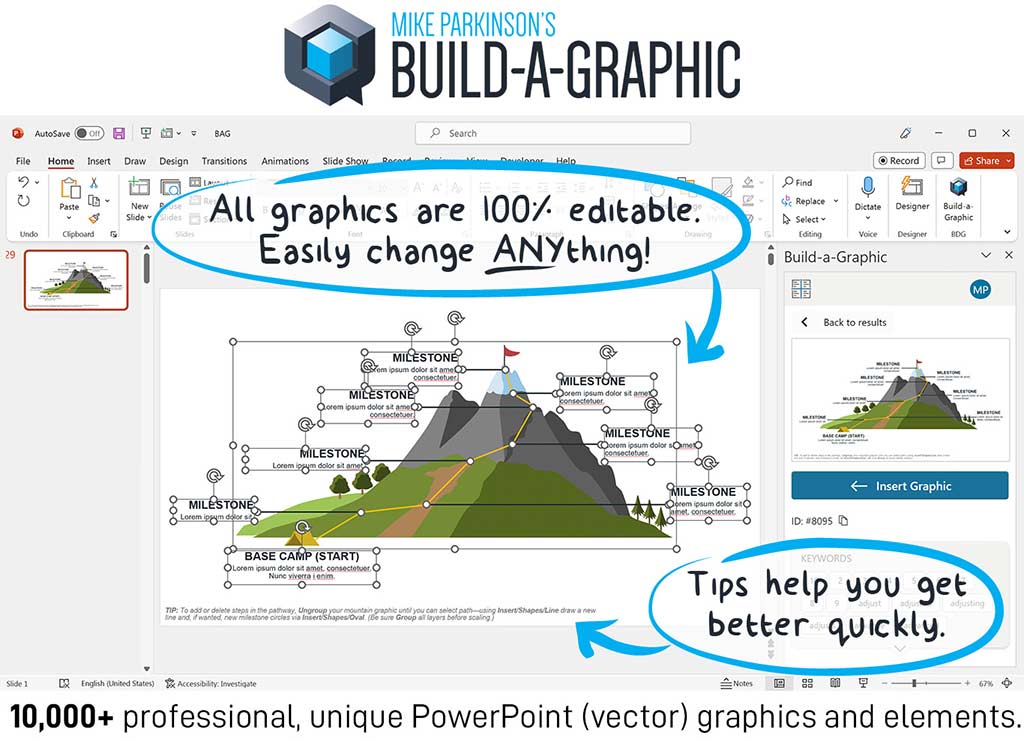
Using a graphic asset library has accelerated my workflow by as much as 95%. My library comprises both self-created and purchased graphics. Meaning, I have constructed graphics, while the other part includes subscriptions to fantastic, searchable libraries. In my work, I need vector graphics (easily editable visuals with a small file size), such as infographics, more than raster graphics (pixel-based images larger file size), like photographs.
My favorite resource for 100% editable PowerPoint graphics is Build-a-Graphic. It’s free to download for curated inspiration, and access to all 10,000+ editable graphics cost $199/year. These graphics can be copied into Adobe Illustrator, Google Slides, and any other graphics software for further editing. Another great library is Vecteezy, which offers some free vector graphics and an unlimited subscription for $168/year for most assets.
Tip 2: Develop and Use a Repeatable Process
Over the years, I have developed a methodology that works consistently in every situation. As a creative, I once thought that using a process would stifle creativity, but the opposite is true. A defined process frees me to be more creative. Instead of relying on an ad hoc approach, I use steps that clearly defines the endpoint, ensuring everyone shares the same vision and moves in the same direction. This eliminates false starts, endless iterations, and demoralizing conversations about ever-changing needs and requirements.
A macro view of my process involves defining the goal, audience, message, and explanation before creating anything. Next, I chunk, assemble, and visualize my content. When I fail to follow this process, both my clients and I pay the price. We are often in an “I’ll know it when I see it situation.” The level of effort and design duration increase, and the quality of the final deliverable isn’t what it could be. I’ve learned that crafting, using, and evolving a process is one of the best ways to create clear, compelling, and powerful content and presentations.
Combining a graphic asset library with a repeatable process not only improves my speed but also ensures that the quality and effectiveness of what I produce exceed expectations. If you have any questions, please contact me. I’m happy to help.
What is the Presentation Summit?

For over two decades, Rick Altman has been hosting the Presentation Summit, a highly popular event that is geared towards users of PowerPoint and other presentation platforms.
Indezine.com is the official media partner for the Presentation Summit.
In-person: October 20 to 23, 2024 at Oxnard, CA
Virtual: November 3 to 6, 2024
The views and opinions expressed in this blog post or content are those of the authors or the interviewees and do not necessarily reflect the official policy or position of any other agency, organization, employer, or company.
Related Posts
 Mike Parkinson is a geek. He is one of thirty-six Microsoft PowerPoint MVPs in the world, is an internationally re...
 Mike Parkinson is a geek. He is one of thirty-six Microsoft PowerPoint MVPs in the world, a CPP APMP Fellow, best-...
 Mike Parkinson is a geek. He is 1 of 36 Microsoft PowerPoint MVPs in the world, is an internationally recognized c...
-
Mike Parkinson is a geek. He is 1 of 36 Microsoft PowerPoint MVPs in the world, is an internationally recognized c...