
 (No Ratings Yet)
 Loading...
So, you’re absolutely sure PowerPoint is sitting nicely on your computer… but then you double-click a PowerPoint file and — ta-da! Instead of opening in PowerPoint like a well-trained puppy, it either refuses to open or jumps into some other random program you didn’t invite to the party. No need to scream “What is happening?!” This simply means your computer has gotten confused about who should open that file. Think of it like your mail carrier delivering your favorite pizza to your neighbor’s house — the pizza exists, but it’s not reaching you.

Learn how to repair PowerPoint file associations in Windows 10.
Related Posts
 You may be certain that PowerPoint is installed on your computer, yet when you double-click a PowerPoint file, it either fails to open in PowerPoint o...
 It's so awesome that PowerPoint and other Microsoft Office programs offer so many keyboard shortcuts, but has it ever happened that you press a keyboa...
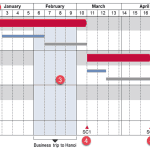
 Technically, yes, you can create a bar chart in PowerPoint and go through some hoops and workarounds to make it look like a Gantt chart. However, let’...
 There are charts of all kinds that can be seen in business reports, presentation slides, website pages, books, and even on social media. However, the ...