
 (1 votes, average: 5.00 out of 5)
 Loading...
Waterfall charts are one of the most popular charts for displaying how different items come together to make up a whole. The chart was first invented and is still widely used by consultants of McKinsey & Company, and is something you can easily add to your PowerPoint charting repertoire. Taylor Croonquist teaches you how you can create these waterfall charts easily in PowerPoint.

Related Posts
 Charts are something that are often shared between Excel and PowerPoint - and while Excel gurus may look down at PowerPoint as far as charting is conc...
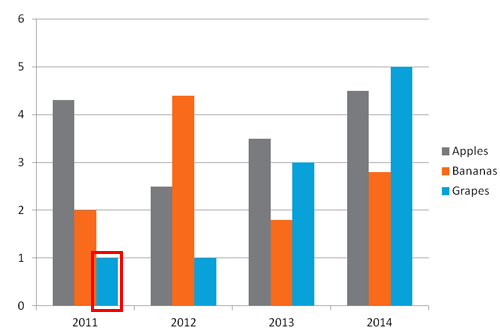 In the days of PowerPoint 2003 and older versions, you just had to insert a chart to end up with a 3D chart! Yes, that's true – and to say that this c...
 Did you read the title of this page correctly? Are we really suggesting that you should consider using a table rather than a chart? You might have hea...
 Imitation is the best form of flattery – and that motto will help you create charts that are so much better! Before we proceed, let us discuss whether...