
Do you want to use PowerPoint to create a graphic of a CD — of course a CD looks a lot like a DVD or Blu-Ray disc as well! In this tutorial, you will learn how a slide program like PowerPoint can be used as a very capable drawing program. And creating a CD in PowerPoint 2013 is indeed a cakewalk!

Learn how to use default shapes to draw a CD or DVD in PowerPoint 2013 for Windows.
Related Posts
 PowerPoint is a ubiquitous presentation program that also works great as a simple drawing program. We have already done an extensive series of tutoria...
 Although most people think of PowerPoint as a slide program, it's also a great drawing program that can in many ways be more easier to use than full-f...
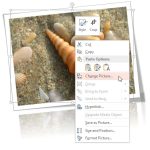 Imagine you have inserted a picture in PowerPoint 2013 for Windows, and then you applied various picture editing options to enhance its appearance. Fo...
 A picture needs to be corrected when it's appearance is too dark or too bright. You can end up with pictures that need correction if the lighting was ...