
When a connector is drawn to link two shapes together, it gets attached to a certain point on each of the shapes. On each shape, this point is one of those blue circle handles that appear when you are attaching the shape to a connector. Sometimes you may attach your connector to the wrong handle, and may need to detach it from that point, and attach it somewhere else. Or maybe you connected to the wrong shape altogether, and now want to detach the connector from one shape and attach it to another.

Learn how to detach, re-attach, and delete connectors in PowerPoint 2013 for Windows.
Related Posts
 You know that Action Buttons are helpful because they at least look like buttons! But choices are limited to what PowerPoint provides – and let’s face...
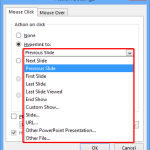 Just inserting Action Buttons on your slide is not sufficient -- you need to apply hyperlinks to them so that they have some function. You have alread...
 Once you place Action Buttons on your slide in PowerPoint 2013 for Windows, you can make them do all sorts of actions when clicked. What sets Action B...
 It is easy to flip and rotate a picture on your slide. However this same flipping can be a little tricky when you use a Picture fill within a shape. T...