
Many times, you can manage with a table within PowerPoint instead of an actual Excel spreadsheet. This is especially true when you want your table content to have a consistent look and feel with the rest of your slide. However, tables are dumb — they cannot work with formulas or even do the most basic functions that Excel provides. So there may be times when you would want a real Excel spreadsheet within your slides rather than a table.

Learn how to insert an Excel spreadsheet in PowerPoint 2013 for Windows.
Related Posts
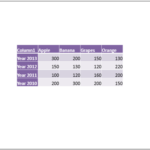 If you want to use a table in your presentation, you can insert a new table on your PowerPoint slide and then enter content within this table as requi...
 In Excel, the cell type for most of the stuff you type is set to General by default. What does this General mean? This means that the content within t...
 Do you want to link to an Excel file from within PowerPoint? You can then use the technique explained within our Linking to Any File in PowerPoint 201...
 Did you read the title of this page correctly? Are we really suggesting that you should consider using a table rather than a chart? You might have hea...