
The Status Bar is a thin strip located at the bottom of the PowerPoint 2016 for Mac interface. This area provides information about the active slide and also provides several View options. To work with options in the Status Bar, you must have a presentation open in PowerPoint 2016 for Mac, otherwise, the options within the Status Bar will be grayed out.

Learn about the Status Bar in PowerPoint 2016 for Mac.
You May Also Like: Normal View in PowerPoint 2016 for Mac | Outline View in PowerPoint 2016 for Mac | Slide Sorter View in PowerPoint 2016 for Mac
Related Posts
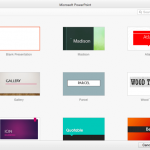 Backstage view is not akin to other PowerPoint views such as Slide Sorter view or Normal view that relate to working with slides. In fact, Backstage v...
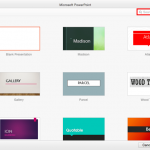 When launched, PowerPoint 2016 for Mac typically opens the New Pane of Backstage view that contains the Presentation Gallery. The Presentation Gallery...
 Have you created all your slides, and now you want to show it in front of an audience? Or you just want to use this slide deck in a webinar, or even s...
 When PowerPoint 2016 for Mac is launched, you see the PowerPoint 2016 for Mac interface. Notice the bright orange color used for the interface. If you...