
 (No Ratings Yet)
 Loading...
Similar to how you apply Shape Styles to your shapes on your slide, PowerPoint enables you to apply Picture Styles to your inserted pictures. With a single click, Picture Styles transforms a simple looking picture to something that’s more highlighted. Note that unlike Shapes Styles, Picture Styles are not Theme specific. They just transform your picture to make it look stylish by applying a border, or 3-D effect, or by changing the frame shape, etc.

Learn how to apply preset Picture Styles to your pictures in PowerPoint 2010 for Windows.
Related Posts
 Among PowerPoint 2010's newest and most magical abilities is the Remove Background option that lets you remove the background from an inserted picture...
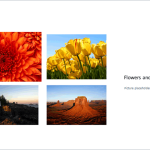 In PowerPoint Slide Layouts are a very useful feature because they let you use a boilerplate arrangement of placeholders repeatedly, resulting in slid...
 Using pictures in your presentation slides is an effective way of making your ideas more comprehensible. To make pictures even more effective, you can...
 It is easy to flip and rotate a picture on your slide. However this same flipping can be a little tricky when you use a Picture fill within a shape. T...