
Tables can be animated within PowerPoint, but either the entire table can be animated or nothing! Yes, that’s a case of extremes—either you have it all or don’t have it. To get over this problem, the workaround is to ungroup the table so that your table gets converted to a collection of shapes. Then, you can animate every individual shape as you want.

Learn how to ungroup a table in PowerPoint 2003 for Windows.
Related Posts
 In the PowerPoint 2003 Interface page, we already showed you the different parts of the program interface, in this page, we'll focus on one particular...
 Aren't text boxes and text placeholders the same? Are they really different? And why should I bother even if they are different? All these are valid q...
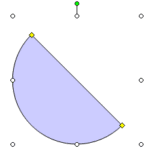 Since there is no easy, intuitive way to create semi-circles in PowerPoint 2003, we already showed you three ways to create them! ! And now here's one...
 Why would anyone want to password-protect their PowerPoint presentations? There are many reasons, and here are some of them. A presentation with confi...