
Once you add gradient fills to shapes in PowerPoint 2016, you may want to make the gradient fill look a little different — or even a whole lot different. Yes, you can use the More Gradients option to add different types of gradients as fills to the shapes but that only provides more gradient fill types, and does not let you customize the colors within the gradient.

Learn how to work with Gradient Stops and to create new gradients in PowerPoint 2016 for Windows.
Related Posts
 Add a gradient fill to your shape, and you may run into limitations! For one, PowerPoint's default gradient options choose all the gradient colors for...
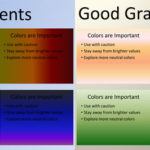 Gradient fills are typically blended fills between two or more colors that graduate and merge from one color to another -- they are sometimes also cal...
 Once you add gradient fills to shapes in PowerPoint 2016 for Mac, you may want to make the gradient fill look a little or a whole lot different. Yes, ...
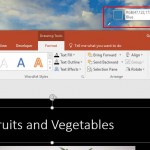 We have already explored the Eyedropper tool in PowerPoint 2016 that lets you sample colors from any object within your PowerPoint slide and use that ...