
 (2 votes, average: 5.00 out of 5)
 Loading...
Ellen Finkelstein, author of How to Do Everything with PowerPoint 2003 shows you how you can create an effective PowerPoint timer that is just perfect if you want to get your audience to settle down before you start or for breaks. The timer requires no coding and can be created in a few minutes. If you don’t want to do that, you can even download Ellen’s finished presentation.
Related Posts
 You may be certain that PowerPoint is installed on your computer, yet when you double-click a PowerPoint file, it either fails to open in PowerPoint o...
 So, you’re absolutely sure PowerPoint is sitting nicely on your computer… but then you double-click a PowerPoint file and — ta-da! Instead of opening ...
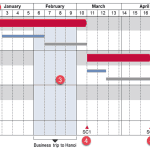
 Technically, yes, you can create a bar chart in PowerPoint and go through some hoops and workarounds to make it look like a Gantt chart. However, let’...
 There are charts of all kinds that can be seen in business reports, presentation slides, website pages, books, and even on social media. However, the ...