
Anything that you can select within a PowerPoint slide can serve as an anchor. While all slide objects can function as anchors, text does have some characteristics that make it work as a “visible” anchor. Unlike other anchors, hyperlinked text in PowerPoint is underlined automatically – and thus visible as an anchor. We will explore the different aspects of text anchors in PowerPoint 2013 within this tutorial.

Learn how you can use text as an anchor to create links in PowerPoint 2013 for Windows.
Related Posts
 Do you want to link to an Excel file from within PowerPoint? You can then use the technique explained within our Linking to Any File in PowerPoint 201...
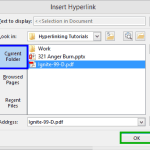 Although you can link from one presentation to another in PowerPoint, you can essentially use the same concept to link to any other file! You can link...
 We’ve learnt about how hyperlinks let you do excellent stuff such as linking between slides or even linking to files outside PowerPoint. However, did ...
 Once you add a hyperlink to a slide object, you will want to edit the link, or remove it altogether. Both these tasks are easy to accomplish—and as us...