

Morten Bruun is the Co-Founder and CEO of FlashDocs, the AI-native platform automating enterprise slide creation. Before launching FlashDocs, Morten led revenue at Worksome, scaled teams at Google, and got his chart-building muscles from McKinsey. He’s a Forbes 30 Under 30 alum, a keynote speaker on AI, and firmly believes that life’s too short to manually align text boxes.
In this conversation, Morten talks about FlashDocs.
Geetesh: Morten, how are enterprise users leveraging FlashDocs for sales, marketing, or data presentations within PowerPoint?
Morten: Enterprise teams are using FlashDocs in a bunch of ways, but sales decks are definitely the gateway drug. AEs use us to create personalized business cases and solution overviews—at scale. Instead of spending an hour tweaking every deck, they just drop in key inputs (like customer name, pain points, product config) and FlashDocs spits out a branded, tailored presentation in seconds.
Marketing teams love that these decks don’t go rogue—every slide stays on-brand. And for data teams or ops, we’re powering recurring reports and board updates, pulling live numbers and generating slides every week without human involvement. No more stale screenshots or broken Excel links.
Geetesh: What’s the most innovative or unexpected use case you’ve seen for FlashDocs with PowerPoint?
Morten: One of our clients built a workflow where FlashDocs automatically picks up the transcript from the last customer meeting and turns it into a deck for the next meeting—summarizing pain points, current vs. future state, and next steps. It’s like having a chief of staff that listens in, takes notes, and preps your slides while you sleep.
It’s wild to see a slide deck become part of a living feedback loop—where the conversation writes the content, and the content moves the conversation forward.
Geetesh: How does FlashDocs ensure design consistency and branding compliance in PowerPoint and Google Slides decks?
Morten: This part’s close to my heart—we treat branding like source code. Every client gets a locked design system baked into their template: fonts, colors, logos, layouts, the works. FlashDocs doesn’t just drop content into random slides—it respects hierarchy, spacing, and layout logic. You can’t break the design even if you try.
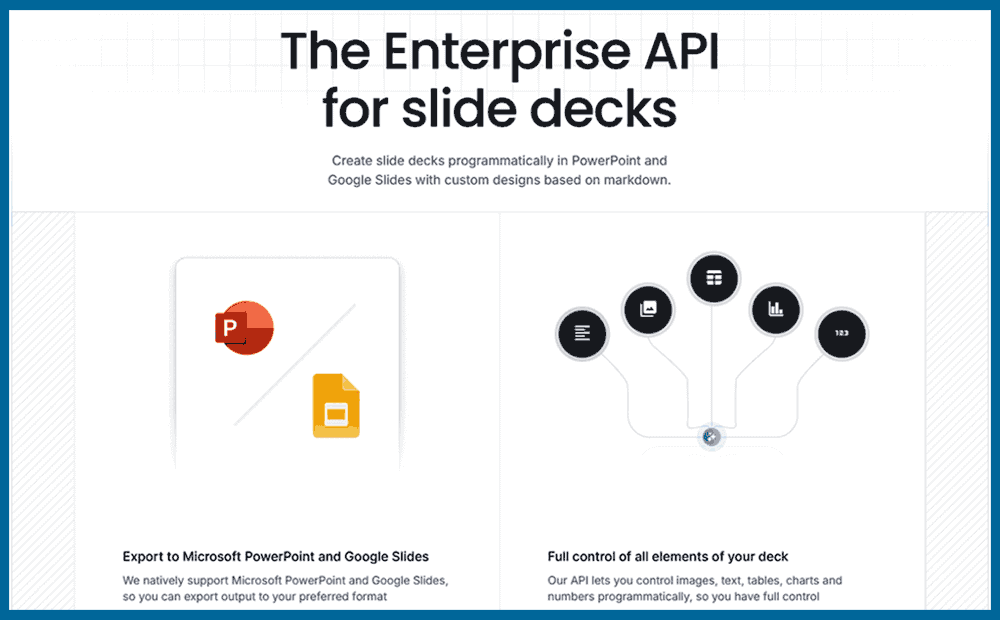
And since we support both native file formats (PPTX and Google Slides), there’s no messy conversions. Your slides always look like your slides.
Geetesh: Is there an option to test-drive FlashDocs so that users can play around and ascertain if this is a tool that fits in their workflows?
Morten: Totally. We offer a free sandbox that lets you generate up to 10 slides per month using our default templates—just to get a feel for the magic. And if you’re a team looking to test it properly, we also run 3-month pilots where you can bring your own templates.
The views and opinions expressed in this blog post or content are those of the authors or the interviewees and do not necessarily reflect the official policy or position of any other agency, organization, employer, or company.
Related Posts
 Gojko Adzic is a partner at Neuri Consulting LLP. He one of the 2019 AWS Serverless Heroes, the winner of the 2016 European Software Testing Outstandi...
 Google upgraded its Google Docs online suite to include Presentations, an online presentation component that does try to be a little like Microsoft Po...
 Will online applications ever replace the ones we use on our desktops? Will Google's slew of online programs shake the Microsoft juggernaut of Office ...
 Some Gmail users have reported that they see a View as Slideshow option in mails that contain PowerPoint attachments.Doug Caverly on Webpronews.com sa...