
Guides in PowerPoint 365 for Windows are alignment lines that help you position slide objects with accuracy. They don’t appear in Slide Show or when printing, but they quietly support your design process by keeping layouts balanced and professional. This page explains why designers rely on Guides and how to show or hide them in PowerPoint.

Learn about viewing and hiding Guides in PowerPoint 365 for Windows.
Related Posts
 Marcus thought he'd cracked the code. First, he learned to enable guides. Then, he discovered the right-click menu, and now is adding, coloring, and d...
 Guides help you line up objects on your slides. Most of us use them in a basic way and never look further. This page covers Guide Options in PowerPoin...
 Have you watched an expert tailor at work? They start by marking the pattern on the fabric. They don't just slap down one chalk mark on the fabric and...
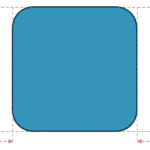 Smart Dynamic Guides in PowerPoint help you align, resize, and distribute objects with precision by showing real-time visual cues. They appear automat...