PowerPoint 365 Articles


Change Slide Layout in PowerPoint 365 for Windows Change Slide Layout in PowerPoint 365 for Windows
June 18th, 2026


Guides in PowerPoint 365 for Windows Guides in PowerPoint 365 for Windows

June 12th, 2026


Working with Snap to Grid in PowerPoint 365 for Windows Working with Snap to Grid in PowerPoint 365 for Windows


June 3rd, 2026


Snap to Grid Settings in PowerPoint 365 for Windows Snap to Grid Settings in PowerPoint 365 for Windows
May 28th, 2026


Gridlines in PowerPoint 365 for Windows Gridlines in PowerPoint 365 for Windows

May 21st, 2026


Rulers in PowerPoint 365 for Windows Rulers in PowerPoint 365 for Windows
May 18th, 2026


Reuse Slides Through Drag and Drop in PowerPoint 365 for Windows Reuse Slides Through Drag and Drop in PowerPoint 365 for Windows
April 30th, 2026


Reuse Slides in PowerPoint 365 for Windows Reuse Slides in PowerPoint 365 for Windows
April 28th, 2026


Hide and Unhide Slides in PowerPoint 365 for Windows Hide and Unhide Slides in PowerPoint 365 for Windows
April 17th, 2026


Duplicate Slides in PowerPoint 365 for Windows Duplicate Slides in PowerPoint 365 for Windows
March 26th, 2026


Applying Theme Colors and Theme Fonts in PowerPoint 365 for Windows Applying Theme Colors and Theme Fonts in PowerPoint 365 for Windows
March 20th, 2026


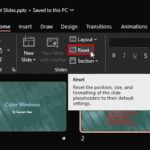
Reset Slides in PowerPoint 365 for Windows Reset Slides in PowerPoint 365 for Windows
March 16th, 2026


Need for Slide Backgrounds in PowerPoint The Need for Slide Backgrounds in PowerPoint
July 23rd, 2025


Inserting a New Slide with Copilot in PowerPoint 365 for Windows Inserting a New Slide with Copilot in PowerPoint 365 for Windows
May 13th, 2025


Inserting a New Slide in PowerPoint 365 for Windows Inserting a New Slide in PowerPoint 365 for Windows
April 30th, 2025


Insert Arrow Symbols in PowerPoint 365 for Windows Insert Arrow Symbols in PowerPoint 365 for Windows
February 7th, 2025


Touch or Mouse Mode in PowerPoint 365 for Windows Touch or Mouse Mode in PowerPoint 365 for Windows
January 20th, 2025


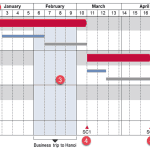
Create a Gantt Chart in think-cell for PowerPoint Create a Gantt Chart in think-cell for PowerPoint
October 14th, 2024


Create a Gantt Chart in PowerPoint Create a Gantt Chart in PowerPoint
September 18th, 2024


Gantt Charts in PowerPoint Gantt Charts in PowerPoint
September 13th, 2024


Working with iCloud in PowerPoint 365 for Mac Working with iCloud in PowerPoint 365 for Mac
August 12th, 2024


Stacked Waterfall Charts in PowerPoint Stacked Waterfall Charts in PowerPoint
July 24th, 2024


Stacked Waterfall Charts using think-cell add-in for PowerPoint Stacked Waterfall Charts using think-cell add-in for PowerPoint
July 22nd, 2024


Waterfall Charts in PowerPoint Waterfall Charts in PowerPoint
July 9th, 2024


Waterfall Charts in PowerPoint 365 for Windows Waterfall Charts in PowerPoint 365 for Windows
July 1st, 2024


Page 1 Page 2 Page 3 Page 10


Microsoft and the Office logo are trademarks or registered trademarks of Microsoft Corporation in the United States and/or other countries.

Plagiarism will be detected by Copyscape

© 2000-2026, Geetesh Bajaj - All rights reserved.

since November 02, 2000