
Do you need to draw two lines so that they are angled out at a certain value from each other? Do you need to do so accurately so that these drawings can be used in reports, research findings, education and elsewhere? There is no automated option within PowerPoint to do so, but you can still attain some amazing results if you know where and how to get started. To achieve these results, we will use a combination of drawing, rotating, and grouping techniques.

Learn how you can draw a shape at an angle to another shape.
Related Posts
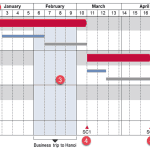
 Technically, yes, you can create a bar chart in PowerPoint and go through some hoops and workarounds to make it look like a Gantt chart. However, let’...
 There are charts of all kinds that can be seen in business reports, presentation slides, website pages, books, and even on social media. However, the ...
 Stacked Waterfall charts are a little different than conventional waterfall charts. Such charts can be easily created using the think-cell add-in for ...
 Waterfall charts may sound complicated, but they are among the easiest charts to understand. Just like a story that builds up layer by layer, the colu...