Geetesh Bajaj, Author - Page 2 of 247


Author Archives: Geetesh Bajaj

Browse posts authored by Geetesh Bajaj.

See Also:
PowerPoint and Presenting Notes
PowerPoint and Presenting Glossary


State of AI in Business Presentation Creation 2026 August 13th, 2026
State of AI in Business Presentation Creation 2026: Conversation with Akash Choudhry


ScriptAssist - Conversation with Bob Befus August 12th, 2026
ScriptAssist: Conversation with Bob Befus


PowerPoint and Presenting News: August 11, 2026 August 11th, 2026
PowerPoint and Presenting News: August 11, 2026


Five Metrics Every CEO Wants to Know - Geetesh Bajaj and David Tang August 7th, 2026
Five Metrics Every CEO Wants to Know


MLC Assets Portal - Maurizio La Cava August 6th, 2026
MLC Assets Portal: Conversation with Maurizio La Cava


presentaid Design Checker - Laszlo Diewald August 3rd, 2026
presentaid Design Checker: Conversation with Laszlo Diewald


PowerPoint and Presenting News: July 28, 2026 July 28th, 2026
PowerPoint and Presenting News: July 28, 2026


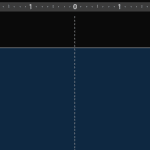
Adding More Guides in PowerPoint 365 for Windows July 24th, 2026
Adding More Guides in PowerPoint 365 for Windows


AI Club from Presentation Process - Ramgopal July 23rd, 2026
AI Club from Presentation Process: Conversation with Ramgopal M. S.


Story Business - Gavin McMahon July 22nd, 2026
Story Business: Conversation with Gavin McMahon


PowerPoint and Presenting News: July 21, 2026 July 21st, 2026
PowerPoint and Presenting News: July 21, 2026


PPTX Toolkit - Peter Claus Lamprecht July 17th, 2026
PPTX Toolkit: Conversation with Peter Claus Lamprecht


PowerPoint and Presenting News: July 7, 2026 July 7th, 2026
PowerPoint and Presenting News: July 7, 2026


Breaking Through Writer’s Block – I July 6th, 2026
Breaking Through Writer’s Block – I


PowerPoint and Presenting News: June 30, 2026 June 30th, 2026
PowerPoint and Presenting News: June 30, 2026


KPIs Are Not Scary June 29th, 2026
KPIs Are Not Scary


Smart Dynamic Guides in PowerPoint 365 for Windows June 25th, 2026
Smart Dynamic Guides in PowerPoint 365 for Windows


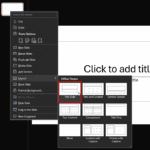
Change Slide Layout in PowerPoint 365 for Windows June 18th, 2026
Change Slide Layout in PowerPoint 365 for Windows


PowerPoint and Presenting News: June 16, 2026 June 16th, 2026
PowerPoint and Presenting News: June 16, 2026


Guides in PowerPoint 365 for Windows June 12th, 2026
Guides in PowerPoint 365 for Windows


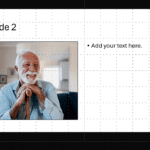
Working with Snap to Grid in PowerPoint 365 for Windows June 3rd, 2026
Working with Snap to Grid in PowerPoint 365 for Windows


PowerPoint and Presenting News: June 2, 2026 June 2nd, 2026
PowerPoint and Presenting News: June 2, 2026


Snap to Grid Settings in PowerPoint 365 for Windows May 28th, 2026
Snap to Grid Settings in PowerPoint 365 for Windows


PowerPoint and Presenting News: May 26, 2026 May 26th, 2026
PowerPoint and Presenting News: May 26, 2026


Three Simple Rules for Slideshow Animation May 25th, 2026
Three Simple Rules for Slideshow Animation


Popular Posts

Ampler Kristian Johansen Ampler: Conversation with Kristian Johansen

Kristian Johansen is CEO and founder of Ampler, an integrated productivity platform for Microsoft Office. Ampler enables users to work faster, easier, and more efficiently in PowerPoint, Word, and Excel, and includes a series of tools that can be integrated into existing Office installations. Kristian has a background as a management consultant from Bain & ...


Ten Fingers Hands Ten Easy Topics for Pecha Kucha

We have so many interactive and communicative visitors on Indezine.com. They get in touch via email, or the feedback forms, or via our chat applet, and even through our LinkedIn and Facebook communities. One question that has come up often is about topics for Pecha Kucha presentations. So I decided to do something about these ...


AECharts - Avinash Panneerselvam AECharts: Conversation with Avinash Panneerselvam

Avi explains how AECharts creates well-designed, animated charts you can export as images or video for presentations.


Page 1 Page 2 Page 3 Page 4 … Page 247


Microsoft and the Office logo are trademarks or registered trademarks of Microsoft Corporation in the United States and/or other countries.


Plagiarism will be detected by Copyscape

© 2000-2026, Geetesh Bajaj - All rights reserved.

since November 02, 2000