
This is the print version of this page. All content is copyright Indezine.com 2000-2026.
Thoughts and impressions of happenings in the world of PowerPoint and presentations, continuously updated since 2003.
See Also:
PowerPoint and Presenting Notes
PowerPoint and Presenting Glossary
Expressing ideas using visuals is always a great option as long as you use relevant content. Visuals are actually a much larger family than just pictures — they can also include content like maps, illustrations, charts, etc. In addition, they often include collections of shapes that function as frameworks. Our review product is called PowerSLIDES, and it is a collection of such multi-purpose framework slides.
Filed Under:
Reviews
Tagged as: PowerPoint, Presentation Samples, Review, Templates
Comments Off on PresentationPro PowerSLIDES: The Indezine Review

Art Holden has been in the animation and presentation industry since 1996. He helped start Animation Factory in 1997 and served as general manager of Animation Factory for thirteen years. He currently lives in Sioux Falls, South Dakota, USA, and works with PresenterMedia, a media content creation company.
Geetesh: Art, tell us about PresenterMedia. Also, in which ways can this site help PowerPoint designers get good content?
Art: PresenterMedia is a unique design company. We utilize 3D design and video animation applications to create vibrant and compelling imagery exclusively for PowerPoint. Some may call what we are doing 3D clip art, and while that may be appropriate, the term ‘clip art’ really fails to do justice to the high quality 3D imagery we are producing on a daily basis.
We have created 3D animations and images in a variety of business subjects tailored directly to the PowerPoint user. Our special PNG images fit seamlessly into existing presentations due to their unique transparent backgrounds.
PresenterMedia is also unique in that each of our images and animations can be customized before downloading. A customer can control the amount of reflections and the shadow strength our 3D images cast on a presentation slide.
We are one of the first PowerPoint template designers to release animated templates for PowerPoint 2010. The new video features of PowerPoint 2010 have allowed us to provide our customers with a very rich media experience.
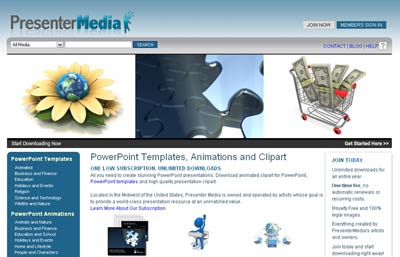
PresenterMedia customers are able to download unlimited templates, animations, and clip art through a PresenterMedia subscription.
Geetesh: We looked at your web site, and one page about the team at PresenterMedia caught our attention. Can you tell us more?
Art: PresenterMedia is a company made up entirely of artists. Since 1996, we’ve created animations and artwork for other design companies and distributors. We’ve created hundreds of thousands of images for companies, such as Animation Factory, Clipart, and JupiterImages. PresenterMedia is the natural extension of the talent and skills we’ve learned working for others.
The views and opinions expressed in this blog post or content are those of the authors or the interviewees and do not necessarily reflect the official policy or position of any other agency, organization, employer, or company.
Filed Under:
Interviews
Tagged as: Art Holden, Clip Media, Interviews, PowerPoint, Templates
Comments Off on PresenterMedia: Conversation with Art Holden
One of the worst things that you can do to your PowerPoint presentation is to add a busy, multi-colored background to your slides. However, people do that all the time and in the process, they compromise the subtlety and contrast of any content on their slides. One option is to recolor your backgrounds to make them more understated, and I do agree that this is a slightly difficult task to accomplish unless you use the new Recolor options available for pictures in both PowerPoint 2007 and 2010.
Filed Under:
PowerPoint 2010
Tagged as: Photos, PowerPoint 2007, PowerPoint 2010, Tutorials
Comments Off on Learn PowerPoint 2007 and 2010: Recolor Picture Backgrounds
I have some news to share with you all — especially if you work in the legal field, or if you have friends or colleagues who do.
The legal profession is one of the most high profile users of PowerPoint presentations, and I am glad to announce the launch of a whole new site, LegalPPT.com to address the needs of this niche market.
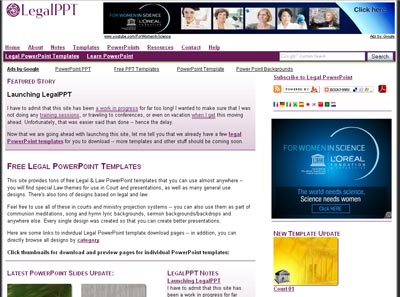
This site has been a work in progress for far too long! I wanted to make sure that I was not doing any training sessions, or traveling to conferences, or even on vacation when I get this moving ahead. Unfortunately, that was easier said than done — hence the delay.
Now that we are going ahead with launching this site, let me tell you that we already have a few legal PowerPoint templates for you to download — more templates and other stuff should be coming soon.
By other stuff, we mean PowerPoint sample presentations, book reviews, resources, interviews, and more — all for PowerPoint users in the legal domain!
Filed Under:
Microsoft Office
Tagged as: Legal, PowerPoint
Comments Off on Launching LegalPPT
 Rouwen Stallwanger studied physics and astronomy in Munich, Potsdam and England. His business career started in large companies for insurance and banking in Germany and France. In 2007, he created his own company involved in development process and control that creates individual software solutions (business intelligence) for clients in finance, human resources and real estate. In this conversation, Rowen discusses his GanttChart Generator for PowerPoint product.
Geetesh: Tell us more about your GanttChart Generator product for PowerPoint.
Rouwen: The GanttChart Generator is a helper application that lets you create GanttCharts right within Microsoft PowerPoint. In general, you need lot of resources and time to generate these Gantt charts and to maintain them, especially if you want to implement them inside Microsoft PowerPoint.
Clearly you can use Microsoft Project to maintain and create Gantt charts, but in practice a lot of project managers, CEOs, and CFOs want to see a simple chart without using any extra software. All they want is a clear visual that shows where they are, what are the next steps, and what is the current status of the project.
Therefore, we decided to develop a Gantt chart generator especially for PowerPoint users, where you can easily manage the data within an Excel spreadsheet and visualize it later in PowerPoint through a simple macro. An additional goal for this product was to ensure that an office secretary, or an amateur PowerPoint user can create professional Gantt charts quickly and easily.
Our GanttChart Generator product is not a full software solution, but an add-in that saves you time.

Geetesh: What are the scenarios you witness for use of Gantt charts within PowerPoint?
Rouwen: We are developers of products for IT in finance and controlling for human resources departments. And lots of clients want to know where they are with our analytics. So my team and I use the GanttChart Generator internally to create a timeline to analyze how often the salary increases in different departments of a company in last 3 or 5 years. For real estate (finance departments), we use the GanttChart Generator to see when it’s the next time to pay the interests (loans). And for myself I use the GanttChart Generator to see how long it will take for my team to create different geographical maps for PowerPoint or what is the next step for developing software products. With the GanttChart Generator, it’s easy to create slides to show to my clients, and receive feedback from them.
The views and opinions expressed in this blog post or content are those of the authors or the interviewees and do not necessarily reflect the official policy or position of any other agency, organization, employer, or company.
Filed Under:
Interviews
Tagged as: Add-in, Charting, Interviews, PowerPoint, Rouwen Stallwanger
Comments Off on GanttChart Generator for PowerPoint: Conversation with Rouwen Stallwanger
Microsoft and the Office logo are trademarks or registered trademarks of Microsoft Corporation in the United States and/or other countries.