
This is the print version of this page. All content is copyright Indezine.com 2000-2026.
Thoughts and impressions of happenings in the world of PowerPoint and presentations, continuously updated since 2003.
See Also:
PowerPoint and Presenting Notes
PowerPoint and Presenting Glossary

Sandra Johnson has devoted the past 6 years of her career to PowerPoint presentation design and delivery. Sandra helps clients leverage this powerful Microsoft tool as a sophisticated and dynamic component of their marketing mix. Visit Sandra’s site.
Geetesh: Tell us more about yourself and your work.
Sandra: I have an education in nursing and 20-plus years of experience working in the advertising business (that’s an odd career path, I know). In advertising, I was involved in new business efforts. As a result, I frequently used PowerPoint. When I left advertising in 2001, I happened upon a PowerPoint project with American Express—and, as they say—the rest is history. My work has grown from doing PowerPoint on the side, to it being a full-time (plus) commitment for me. I work with clients that include United Healthcare, Medica, Carlson Wagonlit Travel, and HP. I’m also a PowerPoint trainer, a contributor to the PowerPoint newsgroup, and a PowerPoint Live team member.
If I were to describe my sweet spot (a sports analogy borrowed from colleague Rick Altman and for whose book “Why Most PowerPoint Presentations Suck” I was an editor), I’d say I have an eye for design, and I’m passionate about leveraging animation to help presenters tell a story.
The majority of my work is done for corporations whose salespeople need to present to customers or prospects. I also do a lot of work in the legal field, working with attorneys to build their cases graphically with PowerPoint. I like to brag that “I’ve never lost a case.”
I have the dream job. I truly never thought that I’d be able to have a career where I would love what I do so much.
Geetesh: What are the latest PowerPoint trends? What are presenters asking for? And what’s passé?
Sandra: My clients get it. Corporate marketers in particular are beginning to view PowerPoint and presentations as a part of their strategic marketing communications mix. With that perspective, they are no longer throwing templates to their salespeople and relying on them to create presentations.
Indeed, my clients look to me to help them home in on a key message and create a story that is relevant to their audience—all while maintaining a design integrity that is in keeping with their print collateral and advertising work.
And because they see PowerPoint presentations as a part of their marketing communications mix, it’s become easier for me to encourage them to cut the bullets and use graphics and headlines instead. These clients understand that they can rely on their collateral materials as a “leave behind” (how many times have your clients said, “but we need the details on the slide so people can have a handout to read later”), and use PowerPoint to begin to establish a relationship between presenter and customer.
Additionally, my clients are asking for sophisticated animation in the form of infographics in their presentations. I know animation often gets a bad rap—but I love using it (instead of text) to help the presenter tell his/her story.
The views and opinions expressed in this blog post or content are those of the authors or the interviewees and do not necessarily reflect the official policy or position of any other agency, organization, employer, or company.
Filed Under:
Interviews
Tagged as: Interviews, PowerPoint, Sandra Johnson
Comments Off on Presentation Wiz: Conversation with Sandra Johnson
Impatica for PowerPoint takes your PowerPoint presentations, converts them to Impatica formats that can be as small as 95% of the original file sizes, and retains most of the PowerPoint formatting. Version 4 of Impatica for PowerPoint adds support for PowerPoint 2007 and Windows Vista. In addition, it adds several other new features.

Read the Indezine review of Impatica for PowerPoint 4.
Filed Under:
Add-ins
Tagged as: Add-in, Impatica, Online Presentations, PowerPoint, Review
Comments Off on Imaptica for PowerPoint 4

Your presentations always influence others to take some kind of action. The action might be to listen carefully and learn new information or it might be to drift off toward Dreamworld. The way in which your presentation delivers information has everything to do with how well it will be received. Here are some quick ideas for livening up your presentations to keep the after-lunch crowd awake in their seats.
Katherine Murray tells you more on TechRepublic.
Filed Under:
Microsoft Office
Tagged as: Death by PowerPoint, Katherine Murray, Microsoft Office, PowerPoint
Comments Off on Give your PowerPoint Presentations a Heartbeat
We have reviewed PowerShrink in the past—so in this review, we will look at the new features that PowerShrink 2007 (aka PowerShrink 3) offers along with a brief walkthrough.
PowerShrink 2007 is a PowerPoint, Word, and Excel compression product from TopByteLabs Computing, a software company based in Germany.
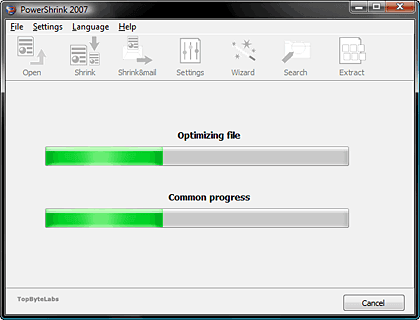
Read the Indezine review of PowerShrink 2007.
Filed Under:
Add-ins
Tagged as: Add-in, PowerPoint, PowerPoint 2007, Review
Comments Off on PowerShrink 2007
Under the name Sun ODF Plug-in for Microsoft Office, Sun has released its import/export filter for the OpenDocument format (ODF), which the ISO has recognized as a standard, for versions 2000, XP, and 2003 of Microsoft’s Office suite; the plug-in can be downloaded via our software repository. The extension allows users of MS Office to read and create text documents, spreadsheets, and presentations in the free OpenOffice suite and its commercial version called StarOffice.

Filed Under:
Microsoft Office
Tagged as: Microsoft Office, ODF
Comments Off on Sun’s OpenDocument filter for Microsoft Office
Microsoft and the Office logo are trademarks or registered trademarks of Microsoft Corporation in the United States and/or other countries.