

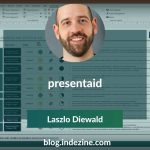
Laszlo Diewald has been working as a consultant for more than 10 years now. He started his career as an employee right after his study at the Technical University of Munich. Shortly after, he decided to become self-employed as a freelance consultant. In 2017, he founded his own consultancy, with a focus on large scale projects in the financial sector. In parallel, he started working on presentaid, which was finally launched in April 2022.
In this conversation, Laszlo talks about presentaid’s new Gantt chart feature.
Geetesh: Laszlo, PowerPoint users have traditionally created Gantt charts through a combination of tables, shapes, and manual formatting. What inspired presentaid to develop a WYSIWYG Gantt chart solution specifically for PowerPoint, and which workflow frustrations were you aiming to eliminate?
Laszlo: Anyone who has ever tried to build a Gantt chart in PowerPoint from scratch knows the pain – hours spent nudging shapes, manually aligning bars, recalculating widths every time a deadline shifts. And then your client calls and everything changes overnight. You’re back to square one. We saw this happening constantly and asked ourselves: why should something this fundamental be this hard?
That’s what drove us to build a true WYSIWYG Gantt chart directly inside PowerPoint. With presentaid, you simply enter your tasks and dates, and the chart builds itself – beautifully, instantly, and always in sync. Change the date, and the chart updates. No more manual reformatting, no more broken layouts. We gave people back hours they were wasting on busywork, so they can focus on what actually matters: telling a compelling story with their data.
Geetesh: Many Gantt tools focus primarily on project management, whereas presentations often require a more visual and story-driven approach. How does presentaid’s new Gantt chart feature balance detailed project planning with the need for executive-ready communication and presentation aesthetics?
Laszlo: That tension is exactly what makes our approach unique. Most dedicated project management tools are built for ops teams – they’re powerful, but they produce output that looks like a spreadsheet, not a slide. When you’re presenting to a board or a client, you need something that not only communicates the plan clearly but also builds confidence and trust. That’s a completely different requirement.
With presentaid, the Gantt chart is a first-class presentation element. It lives natively in PowerPoint, respects your brand colors and design language, and is built to look polished the moment you drop it on a slide. You get the planning depth you need – tasks, dependencies, milestones – wrapped in the visual quality your audience expects. It’s the bridge between the project manager and the storyteller, and we’re very proud of that.
But what really sets us apart is how the Gantt chart fits into the broader presentaid ecosystem. Pair it with our Agenda Manager to give your presentation a clear structure, use our formatting tools to keep everything on-brand, and you have a truly comprehensive solution – from the first slide to the last. You’re not just getting a Gantt chart feature; you’re getting a complete toolkit for professional, executive-ready presentations. Everything works together seamlessly, right inside PowerPoint.
Geetesh: Can users get a trial version of presentaid and play with the Gantt chart and other features of presentaid before deciding to subscribe?
Laszlo: Absolutely – and we strongly encourage it! We offer a free trial that gives you full access to presentaid, including the new Gantt chart feature, so you can experience the difference firsthand before making any commitment. We’re confident that once you’ve built your first Gantt chart in minutes instead of hours, there’s no going back. You can get started here. No credit card required, no strings attached. Try it, play with it, and see for yourself why thousands of PowerPoint users have made presentaid part of their daily workflow.
The views and opinions expressed in this blog post or content are those of the authors or the interviewees and do not necessarily reflect the official policy or position of any other agency, organization, employer, or company.
Related Posts
 Laszlo Diewald has been working as a consultant for more than 10 years now. He started his career as an employee right after h...
 Laszlo Diewald has been working as a consultant for more than 10 years now. He started his career as an employee right after h...
 Laszlo Diewald has been working as a consultant for more than 10 years now. He started his career as an employee right after h...
 Laszlo Diewald has been working as a consultant for more than 10 years now. He started his career as an employee right after h...