
This is the print version of this page. All content is copyright Indezine.com 2000-2026.
Thoughts and impressions of happenings in the world of PowerPoint and presentations, continuously updated since 2003.
See Also:
PowerPoint and Presenting Notes
PowerPoint and Presenting Glossary

Mike Power is the founder and Managing Director of Neuxpower, a software solutions company based in the UK. Neuxpower custom-build both stand-alone applications and add-ins that enhance existing software such as Microsoft Office. Their commercially-available PowerPoint optimizer, NXPowerLite, radically reduces the size of PowerPoint files.
Geetesh: Mike, tell us more about the new NXPowerLite 3.
Mike: NXPowerLite 3 is a compression tool created specifically for Microsoft Office users. It can dramatically reduce the size of Word, Excel, and PowerPoint files — sometimes by as much as 98% — with no discernible loss of quality. It does this by intelligently compressing graphics and embedded documents contained within your files, as well as removing the ‘junk data’ that builds up during the creation and editing of Office files.
We released the first version of NXPowerLite six years ago as a PowerPoint-only product — and it quickly became the de facto standard tool for PowerPoint compression. NXPowerLite 2, which followed in 2005, contained a number of significant improvements. It worked directly on the PowerPoint file (rather than by automating PowerPoint), enabling lightning-fast compression times. We also added new features such as batch processing and an Outlook add-in that automatically optimized email attachments before sending them.
Our customers loved the software but kept asking us to develop something similar to reduce the size of Word and Excel files. We eventually decided to create just one program that worked with Word, Excel and PowerPoint files, in order to offer ease of use and the best possible value for money. We are very proud of NXPowerLite 3, which was released in February. It is currently the only product of its type that works with all three of the main Microsoft Office file formats — and customer feedback has been fantastic!
Geetesh: Tell us more about your plans to support Office 2007 file formats.
Mike: NXPowerLite 3 does not currently support Office 2007’s new XML file formats, as the structures were finalized too late in our development process. But our developers are currently working hard on the new formats and a fully compatible version of NXPowerLite 3 will be available later this year. Our Office 2007 Guarantee means that everybody that has purchased NXPowerLite since Office 2007 was released last December was will receive a free upgrade.
Meanwhile, the current version of NXPowerlite integrates perfectly with Office 2007, but you will need to save your files in ’97-2003′ format (‘compatibility mode’) before compressing them with NXPowerLite. Of course, this will also ensure that your files can be opened and edited by people with older versions of Office.
The views and opinions expressed in this blog post or content are those of the authors or the interviewees and do not necessarily reflect the official policy or position of any other agency, organization, employer, or company.
Filed Under:
Interviews
Tagged as: Add-in, Interviews, Mike Power, Neuxpower, NXPowerlite, PowerPoint
 Articulate, a provider of rapid e-learning authoring tools, has announced the winners of its 2007 Articulate Guru Awards.
The competition was introduced to honor excellence in content creation using Articulate software.
The top prize Gold medal was awarded to Prometheus Training Corporation for their “Office Ergonomics” course. This entry was notable in its clean design and effective integration of Articulate Presenter, Quizmaker, and Engage.
Find more info on the Articulate site.
Filed Under:
Add-ins
Tagged as: Add-in, Articulate, PowerPoint
Comments Off on Articulate Guru Awards: Results Announced
PowerPoint and other Microsoft Office programs like Word and Excel allow you to insert all sorts of media files including high-resolution pictures, animated clips, and other formats. And you can often copy and paste almost anything within these applications. The result is that presentations, documents, and spreadsheets get bloated — a huge complication if you need to store and share many of these files.
NXPowerLite, the product we are reviewing, optimizes the size of these files without compromising their content or quality — thus making them easier to store and share.

Read the Indezine review of Neuxpower NXPowerLite 3.
Filed Under:
Add-ins
Tagged as: Add-in, Neuxpower, NXPowerlite, PowerPoint, Review
Comments Off on NXPowerLite 3 Review
Impatica ShowMate has won the Most Innovative Wireless Device award in the Andrew Seybold Choice Awards 2007.
Andrew Seybold, Inc. is a wireless industry consulting firm that advises both Fortune 1000 organizations and emerging companies. At the annual Andrew Seybold Choice Awards, the key themes were “imagine,” “innovate” and “impact”. The awards recognized innovative products, businesses and concepts that are making or have the potential to make a positive impact on wireless mobility.
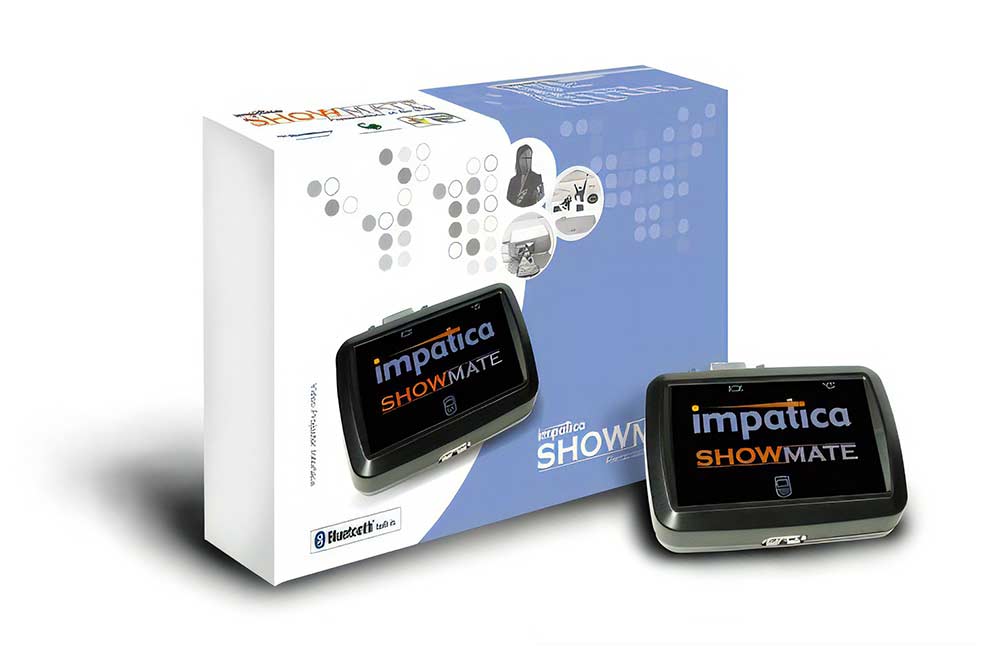
Read more info on the Impatica site.
Filed Under:
Add-ins
Tagged as: Add-in, Impatica, PowerPoint
Comments Off on Impatica ShowMate Wins Most Innovative Wireless Device Award
W2solutions announced the release of HeadsetPresenter 3.0, a simple program that turns any Bluetooth headset into a Windows application remote control suitable for controlling onscreen activities including PowerPoint presentations.

Some of the new features are:
Filed Under:
Hardware
Tagged as: Hardware, PowerPoint, Remotes
Comments Off on HeadsetPresenter Version 3 Released
Microsoft and the Office logo are trademarks or registered trademarks of Microsoft Corporation in the United States and/or other countries.