
This is the print version of this page. All content is copyright Indezine.com 2000-2026.
Thoughts and impressions of happenings in the world of PowerPoint and presentations, continuously updated since 2003.
See Also:
PowerPoint and Presenting Notes
PowerPoint and Presenting Glossary
There are so many sites that let you upload and share photos and videos. It was only a matter of time before you had one that lets you upload and share slides and presentations. And that’s exactly what SlideShare is: simple, easy to use, and effective.
In a series of posts, we’ll explore SlideShare, which we must add is in the beta stage now. To join SlideShare, you need an invite, and that’s something you can request on the SlideShare site itself, as shown in Figure 1, below. Or get hold of an existing SlideShare member who can send you an invite.

Figure 1: Get an invite to join SlideShare
Once you have an invite, click the link in the invite email to get to the sign-up form, as shown in Figure 2, below.

Figure 2: Signup for SlideShare
Fill in all the form fields as required. Choose a username and password, and click the Sign Up button. The next time, when you will log into the SlideShare site, log in using your username and password. In our next SlideShare post, we’ll teach you, how you can upload your presentation slides.
Filed Under:
Companion Programs
Tagged as: Companion, PowerPoint, SlideShare
PowerPoint MVP Austin Myers loves to work with all sorts of multimedia issues in PowerPoint and now with a simple piece of code that he is giving away for free, you can place text over video in a PowerPoint slide! I have lost count of how many times I have told users that this is not possible — and now I’m changing my response on this one to tell users that it can be done!
As Austin mentions, …I happened across something that made the little light go on, I gave it a try and believe it or not the result was I discovered how to display text over video. The key to doing this is to use “controls” to hold the text.

Take a look here to see Austin’s tutorial.
Austin also makes the amazing PFCMedia, PFCExpress, and PFCPro products. Do download trial versions of these products at his site while reading his text over video tutorial!
Filed Under:
Add-ins
Tagged as: Add-in, Austin Myers, Movies, PowerPoint, Tutorials, Video
Together with a not-so-serious flaw in the .NET framework, Microsoft will issue 11 patches in all, including six for Windows and four for the Office suite, including flaws in PowerPoint and Word 2000. These patches are expected to be released on Tuesday, the 10th of October.

Filed Under:
PowerPoint All Versions
Tagged as: Malware, PowerPoint
In a separate review, we looked at WildPresenter which is actually a suite of applications that includes capture, an editing environment, and PowerPoint to Flash export options. Wildform, the company that creates WildPresenter recognizes that many users don’t need all those options. So, they created a scaled down version called WildPresenter Lite that limits the abilities to the editing environment only, so that you can create your own content with shapes, text, images, etc.
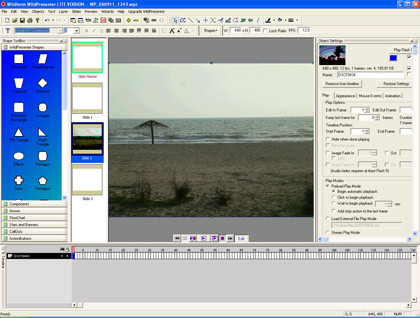
Read the Indezine review of WildPresenter Lite.
Filed Under:
Companion Programs
Tagged as: Add-in, Companion, PowerPoint, WildPresenter
SlideShare launches today — the YouTube of PowerPoint. While PowerPoint destroys thought, so does TV. And misgivings aside, slides can be an art form in and of itself. They are objects you spin stories around. It is easy to embed a presentation and player within a site, blog, or wiki.
Read more on this Corante blog.
SlideShare is a bit different from some of the other “Office-killer” apps popping up across the Web (and ZohoShow and Thumbstacks are also players). Rather than being a direct assault on Word and Excel, these PowerPoint-sharing tools are more what YouTube is to a video editing app: the next step in the process. After you’ve done the heavy lifting and created a presentation, they let you share it without sending a bunch of thick e-mails around.
Read more on The Utility Belt blog.

Filed Under:
Companion Programs
Tagged as: Companion, PowerPoint, SlideShare
Microsoft and the Office logo are trademarks or registered trademarks of Microsoft Corporation in the United States and/or other countries.