
This is the print version of this page. All content is copyright Indezine.com 2000-2026.
Thoughts and impressions of happenings in the world of PowerPoint and presentations, continuously updated since 2003.
See Also:
PowerPoint and Presenting Notes
PowerPoint and Presenting Glossary
Microsoft posted an updater for Mac Office, version 11.3.2 on Tuesday. The update provides improvements for PowerPoint and Entourage only. Edelman PR which represents Microsoft provided some clarifications.

More on the Mac Observer site.
Filed Under:
PowerPoint 2004
Tagged as: Office for Mac, PowerPoint 2004
Comments Off on Microsoft Releases Mac Office Updater 11.3.2
This question comes up often now:
Can I really continue using Office 2003, or some other older version of Microsoft Office on Windows or Mac, and still work with the new Office 2007 file formats?

Yes indeed—you can if you are using the following versions of Microsoft Office for Windows:
If you are using any of the above versions, just download the Compatibility Pack that lets you open and save the new Office 2007 XML-based formats for Word, Excel, and PowerPoint.
Download the Compatibility Pack here.
And what about users of Microsoft Office versions for the Mac?
Those users will have to wait a little longer, but Microsoft has confirmed that there’s going to be a Compatibility Pack for them too. Read this older blog post to learn more.
Filed Under:
Microsoft Office
Tagged as: Microsoft Office, Office 2007, PowerPoint 2007
Comments Off on Open Office 2007 Formats in Older Office Versions
My new book Special Edition: Using Microsoft Office PowerPoint 2007 is released! I just received a copy yesterday, and it feels so good. You can buy it now at the Que site, or pre-order it from Amazon.
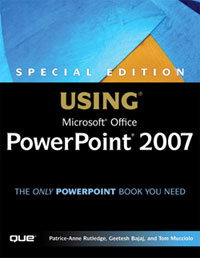
Watch out for more coverage of the book, including an excerpt.
Filed Under:
Books
Tagged as: Books, Patrice-Anne Rutledge, PowerPoint 2007, Review, Tom Mucciolo
Comments Off on New Book: Special Edition Using PowerPoint 2007
Someone asked this question today:
When you put in the auto number thing so that you can see what slide number you are on, can you start that at any number?
Yes, you can! Let us start by showing how you can put in the slide number first. These instructions are for PowerPoint 2003 but should work in previous versions, although things work a little differently in PowerPoint 2007.

Figure 1: Opt to show slide numbers
Now, let us assume you want the slide number to start from 31 instead of 1. Why would you want to do so? There are several reasons, but most of the time, you might want to break up your presentation into 2 or more smaller presentations, and you then want the slide numbers to start from a number other than 1.
Follow these steps to do so:

Figure 2: Renumber your slides from a number other than 1
You can also renumber your slides from “0”, this means your second slide will be numbered “1”.
Filed Under:
PowerPoint 2003
Tagged as: PowerPoint, Slide Numbers, Tutorials
What mediums do you use to teach? Have you any experience working with PowerPoint? What do you expect of this workshop? Probing questions for a 20-strong group of us, who would most probably rather be spending our Saturday afternoon just chilling out after a grinding week commuting between schools and firms in and around Munich.
Instead we have assembled at the city’s Volkshochschule, or adult education centre, to learn more about multi-media teaching presentations, which, if we’re honest, our students probably know more about than we do.

Read more on the Telegraph UK site.
Filed Under:
Case Studies
Tagged as: Case Studies, Death by PowerPoint, Opinion, PowerPoint
Comments Off on Finding Strength in Numbers
Microsoft and the Office logo are trademarks or registered trademarks of Microsoft Corporation in the United States and/or other countries.